Coach Plans
Watch & Learn
Get started with these helpful explainer videos. Create a stunning website for your coaching institute with Seven Sportz. Join thousands of coaches who are growing their business with a professional online presence. Find events, connect with athletes, and showcase your expertise—all in one platform.
हिंदी वीडियो
कोचिंग करियर को दें नई उड़ान – Seven Sportz कोच प्लान्स (हिंदी)
इस वीडियो में हिंदी में जानिए कि Seven Sportz कोचों के लिए कैसे काम करता है। मुफ़्त बेसिक से अल्टीमेट तक – पर्सनल वेबसाइट, इवेंट्स में कोचिंग, खुद के इवेंट्स होस्ट करना, पॉइंट्स कमाना और कैश करना, QR वेरिफिकेशन। इवेंट फीस का 85% कोच को मिलता है। AI से डिजिटल पहचान बनाइए।
कोच के लिए इवेंट होस्टिंग की पूरी गाइड – Seven Sportz पर शुरुआत (हिंदी)
प्रो और अल्टीमेट कोचों के लिए: फैसिलिटी रजिस्टर करें, प्ले एरिया चुनें, स्लॉट और फेयर प्राइस से इवेंट बनाएँ। प्रति खिलाड़ी शुल्क, ब्रेक-ईवन और 15% कमीशन के साथ प्लानिंग। पब्लिश करने के बाद ऑनलाइन फीस, बिलिंग और बैंक ट्रांसफर। अल्टीमेट प्लान में QR कोड वेरिफिकेशन। सब हिंदी में।
English Videos
Seven Sportz Platform & Coach Plans
Seven Sportz is a digital hub that connects athletes, coaches, and sports facilities through its app and website. The platform offers four subscription tiers—Basic, Premium, Pro, and Ultimate—so coaches can build a professional online presence and run their business. Basic is free and includes a website plus local coaching opportunities; higher tiers let you host events, earn redeemable cash, and manage facilities. The Ultimate tier adds a QR code verifier for secure, valid participant entry at your sessions. With AI-driven tools and integrated payments, the platform helps sports professionals market their skills and monetize their coaching.
How Coaches Can Post and Host Events on Seven Sportz
Step-by-step guide for Pro and Ultimate coaches: register your facility and play area, create event slots, use the built-in profit calculator (facility cost, per-player fee, break-even, 15% commission), add event details and publish, collect 100% online payments, track earnings in Billing, and withdraw to your bank. Ultimate plan adds QR verification for secure participant check-in. Turn coaching sessions into professionally managed, revenue-generating events.
Complete Guide: Host Events on Seven Sportz
A full walkthrough for Pro and Ultimate coaches to host profitable events: register your facility and play area, create event slots, use the built-in profit calculator (facility cost, per-player fee, break-even, 15% commission), add event details and publish, collect online payments, and track earnings in Billing. Turn coaching sessions into professionally managed, revenue-generating events. Ultimate plan adds QR verification for secure participant check-in.
Seven Sportz Coach Event Hosting and Event Billing Screens
The event calculator helps Pro and Ultimate coaches plan profitable sessions: it suggests fair facility pricing, computes break-even participants from your facility cost and per-player fee, and factors in 15% platform commission and 20% coach profit so you can test scenarios before publishing. The billing screen shows earnings from events you host (by facility) and from coaching assignments, plus total earnings for a date range, coaching points (earned, pending, encashed/redeemed), and encash request status. Pro and Ultimate coaches can encash points from this screen. Register as a coach on the website (sevensportz.com/register or Coach Plans) or in the mobile app; Basic plan is free, and you will receive an activation email after signup.
Coaching Points: Earn, Encash & Redeem
Coaching points are the financial rewards you earn on Seven Sportz, visible in Billing, Profile, and Payment. You earn them by completing coaching assignments (once attendance is marked) or by hosting events on Pro/Ultimate plans, where you keep 85% of participant fees. Only Pro and Ultimate coaches can encash points to real money via Profile → Encash; Basic and Premium can redeem points for subscription upgrades and platform services. Withdrawals take about seven working days—keep your KYC and bank details updated in User Info. Use Billing for earnings by date range, Profile for total and pending points, and Payment to track encashment status.
Seven Sportz Platform Overview
Learn how to get started with the Seven Sportz platform
Building Your Institute Web Page
Step-by-step guide to creating your professional web presence
Platform Tutorial
Watch this comprehensive tutorial to understand all platform features
Success with Seven Sportz
Learn how coaches are transforming their professional reach with our platform
Coach Plans
Seven Sportz functions as a sports aggregator that provides tiered membership plans designed to help coaches build professional networks and manage their business. The Basic Plan is free and allows users to create a personalized institute homepage and earn non-cashable points by coaching at existing events. Stepping up to the Premium Plan enables coaches to showcase specific facilities and redeem earned points for actual cash. Advanced users can choose the Pro Plan to host their own events and training sessions, keeping a majority of the participant fees after a service commission. Finally, the Ultimate Plan offers the most comprehensive tools, including a QR code verifier for guest security and automated financial calculators to manage event profitability.
Coach Plans & Registration
Seven Sportz unites athletes, coaches, and facility managers in one platform. Basic (Free) and Premium plans are for event participation—coach events and earn redeemable points. Pro and Ultimate plans are for event hosting—create your own events, host your own events, and encash points for real money. Features include customizable web pages, facility management, and a flexible points system for payments.
Ready to Build Your Professional Web Presence?
Join thousands of coaches who are growing their business with Seven Sportz. Get started with a 90-day free trial!
How to Get Started
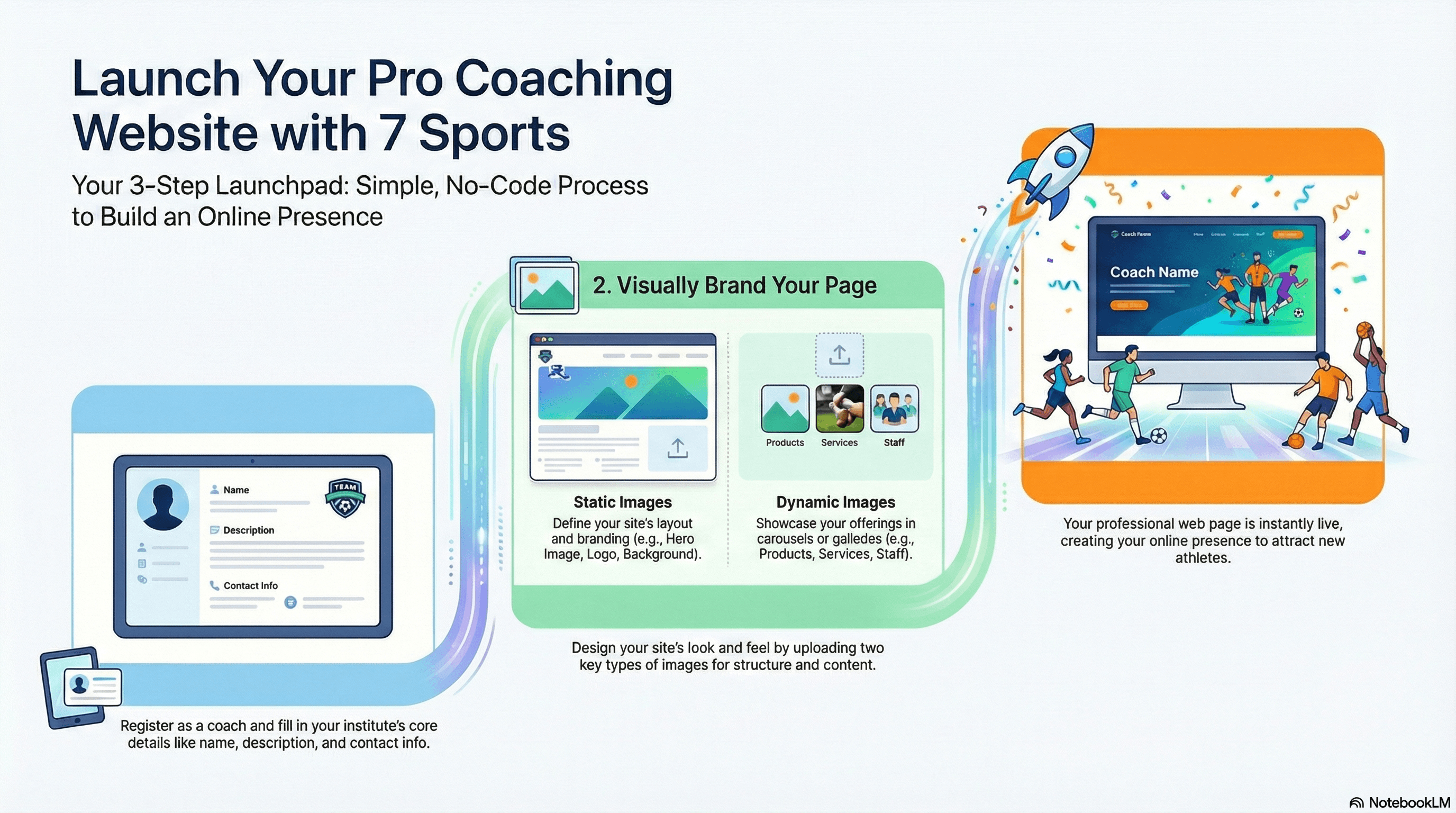
- 1
Register as a Coach
Navigate to app.sevensportz.com/register?role=coach and create your account. The Coach role is pre-selected.
- 2
Create Your Institute Page
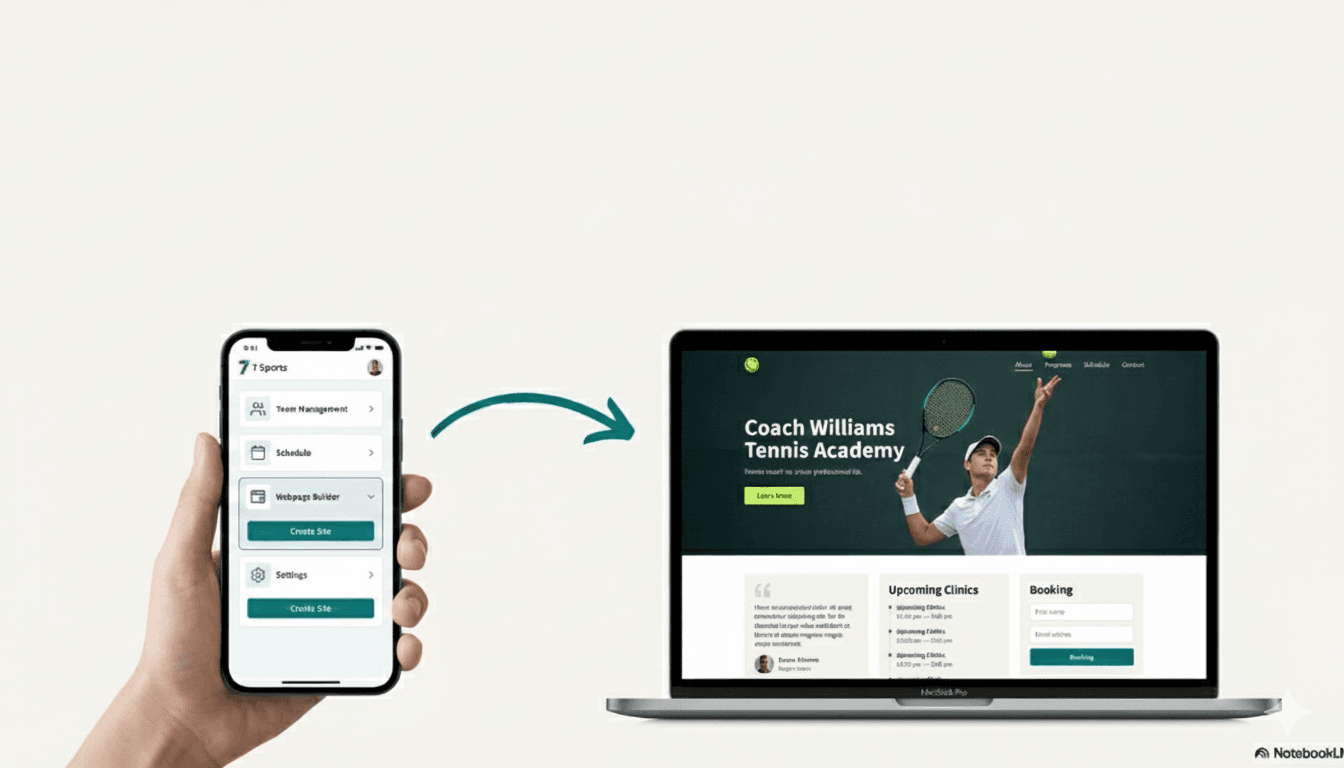
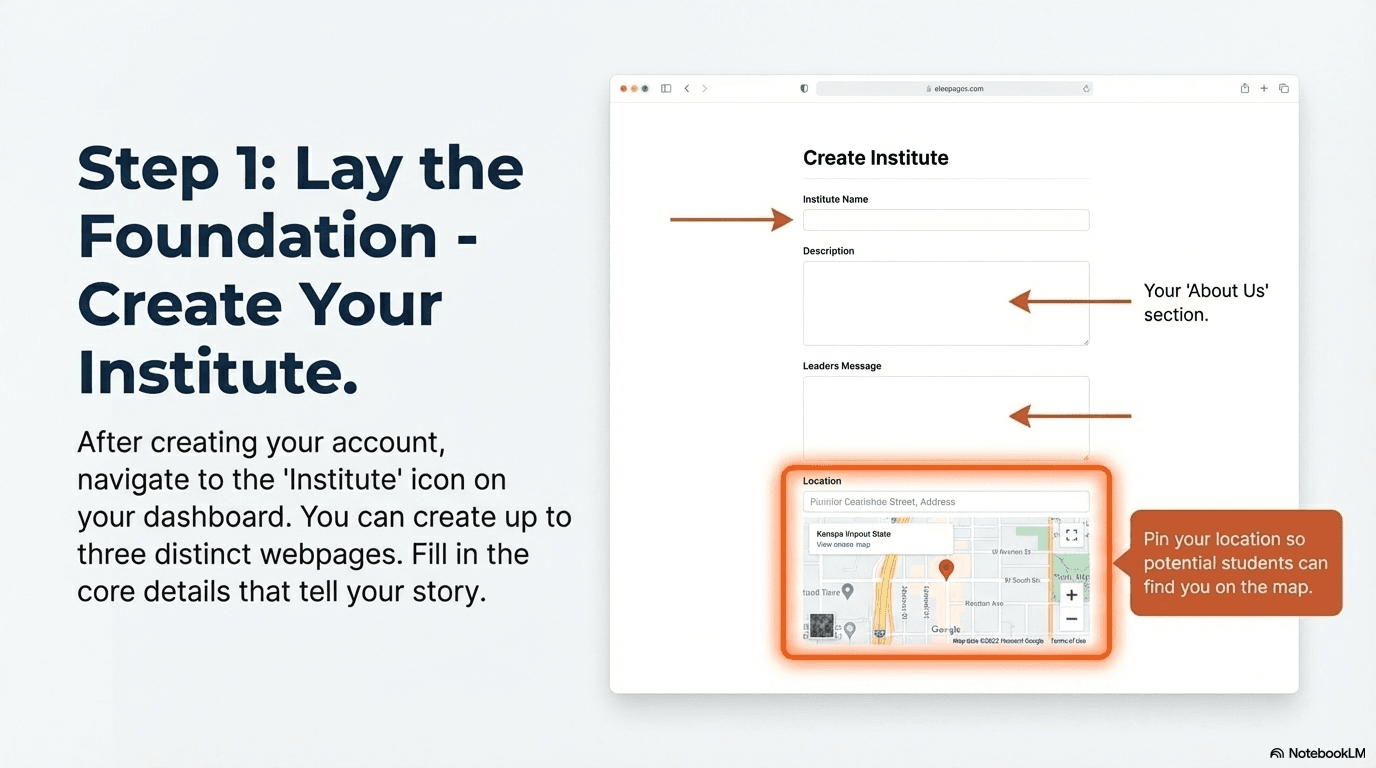
From your dashboard, click on the institute icon and then the + icon to create your first institute page. Fill in your details and start building your web presence.
- 3
View Your Live Website
Once created, your institute page will be live on www.sevensportz.com/institutes/. Visit this page to find and share your website with potential clients.
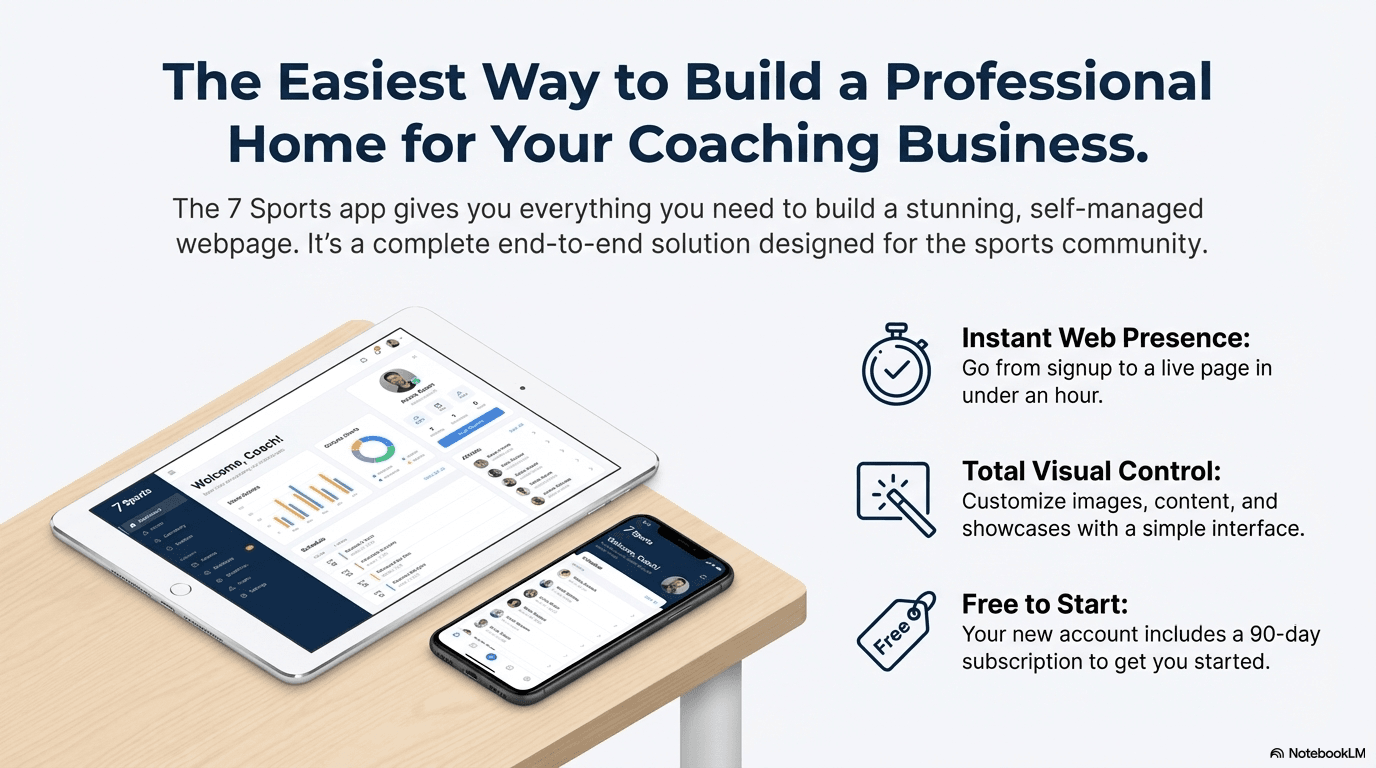
🎁 Special Offer: New coach accounts automatically receive a 90-day free trial, giving you ample time to explore all the features and build your page.
You can create and manage up to three separate institute web pages with a single account, perfect for coaches with diverse specialties or multiple locations.
Take control of your digital identity. Register on the Seven Sportz platform today to build the professional web page that will establish your credibility, attract new clients, and accelerate the growth of your coaching business.
Step-by-Step Guide to Building Your Institute Page
Follow these simple steps to create your professional web presence. The process is straightforward and requires no technical expertise.
Account Registration
- ✓Navigate to the Seven Sportz app login page at https://app.sevensportz.com/login
- ✓Select the option to create a new account
- ✓Crucially, when presented with registration types (e.g., Audience, Sportsman, Coach, Equipment Manager, Facility Manager, Event Manager), you must select the Coach option
- ✓Fill in the simple registration form to complete the process
🎁 Bonus:
As a welcome to the platform, new coach accounts automatically receive a 90-day subscription, giving you ample time to explore all the features and build your page.
Create Your Institute Page
- ✓From the main dashboard, locate and click on the institute icon
- ✓Click the plus (+) icon to begin creating a new page
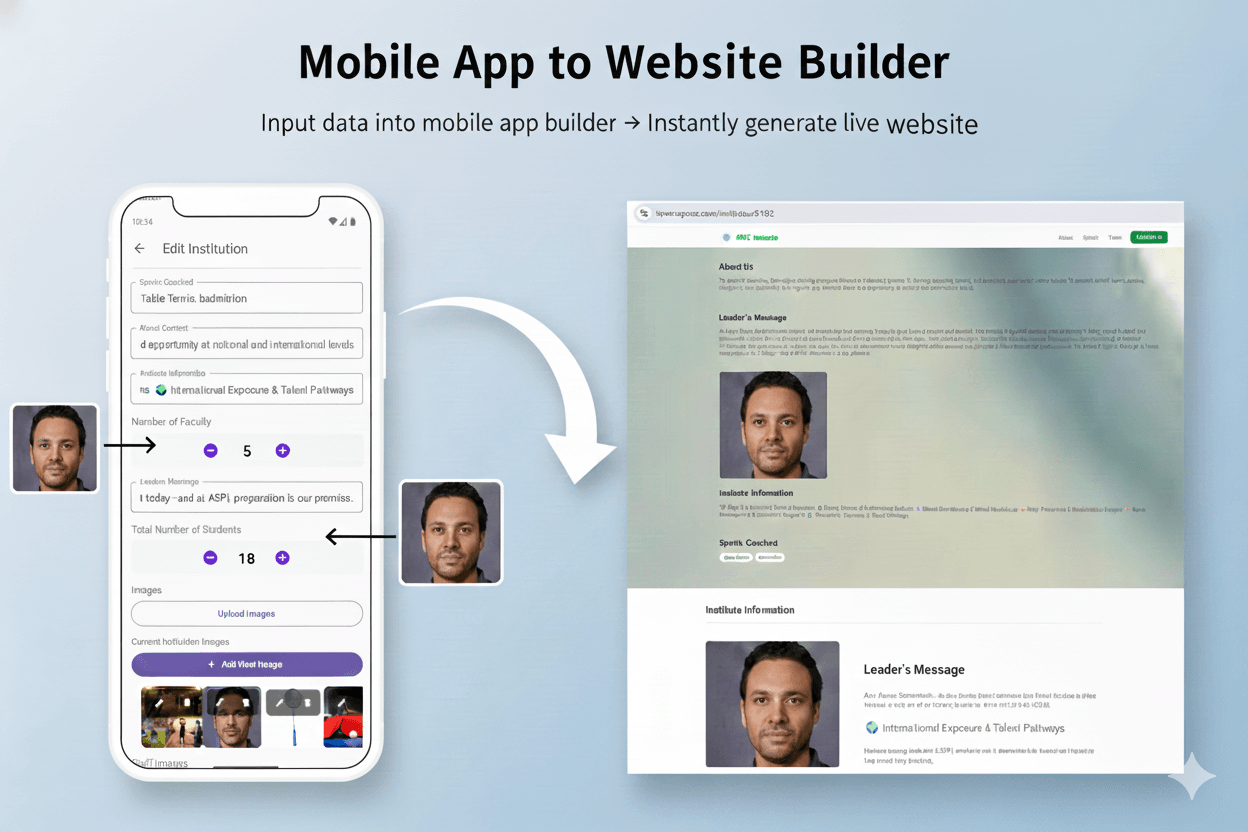
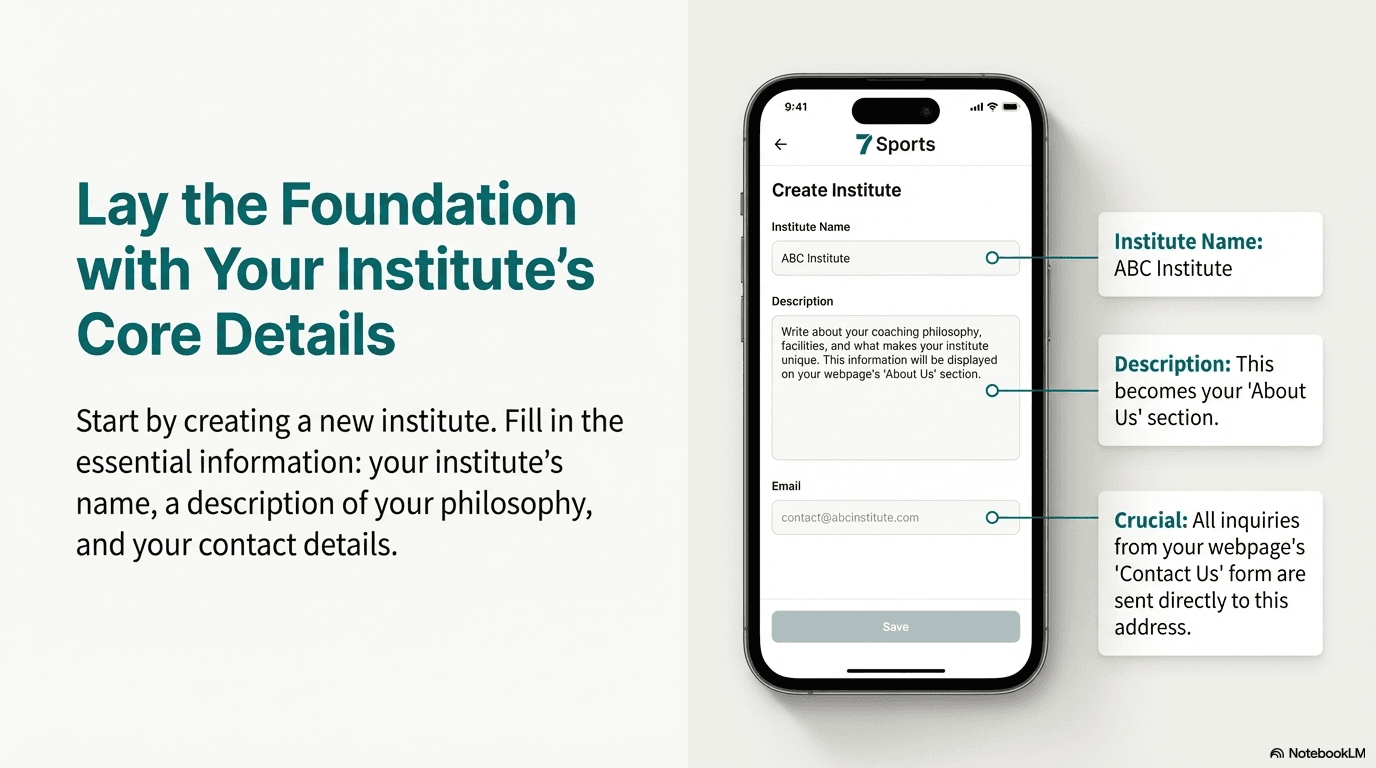
- ✓Fill out the form with your institute's foundational information:
- ✓ • Institute Name: The official name of your coaching institute
- ✓ • Description: A brief summary (under 500 characters)
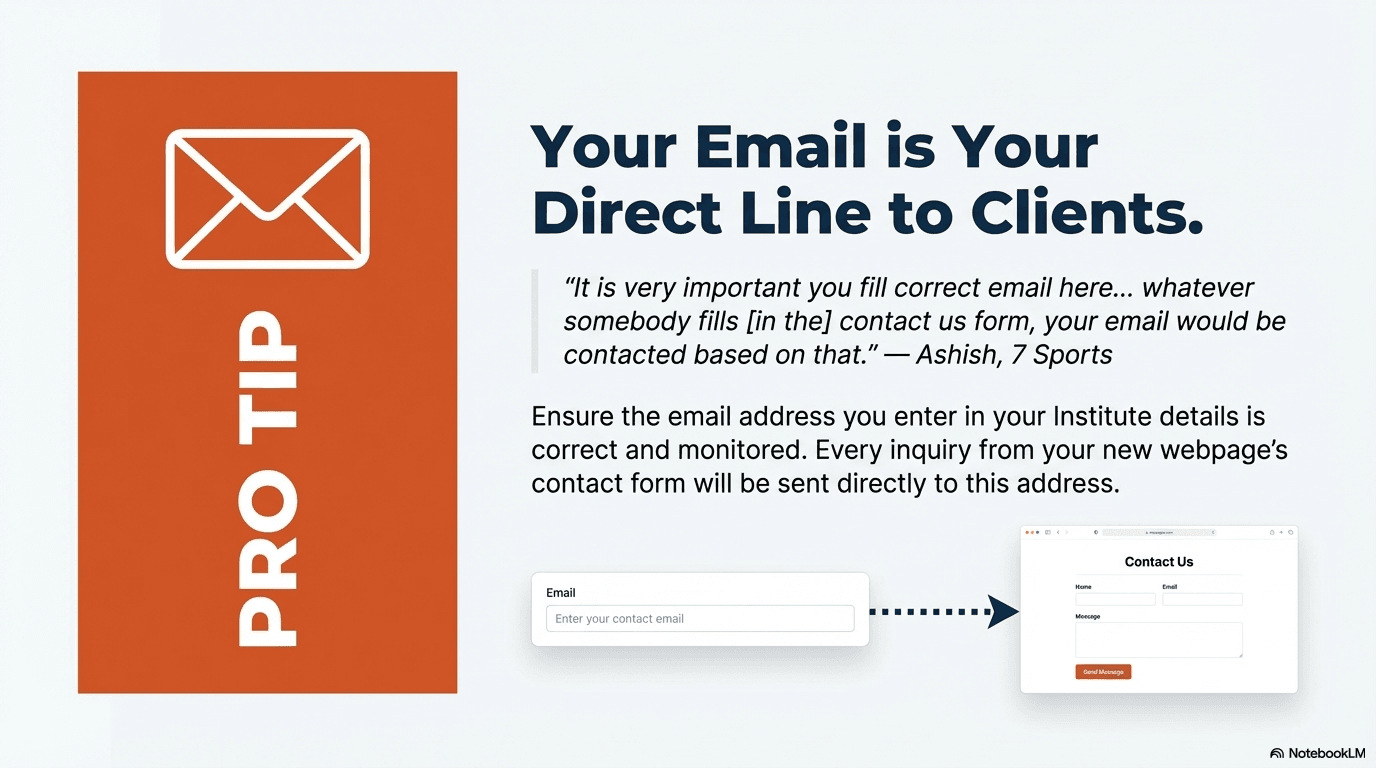
- ✓ • Email: (CRITICAL) Where all inquiries from your Contact Us form will be sent
- ✓ • Sports Coached: Tag the specific sports you teach
- ✓ • Year of Establishment: Enter the year your institute was founded
- ✓ • Location: Tag your physical location on the map
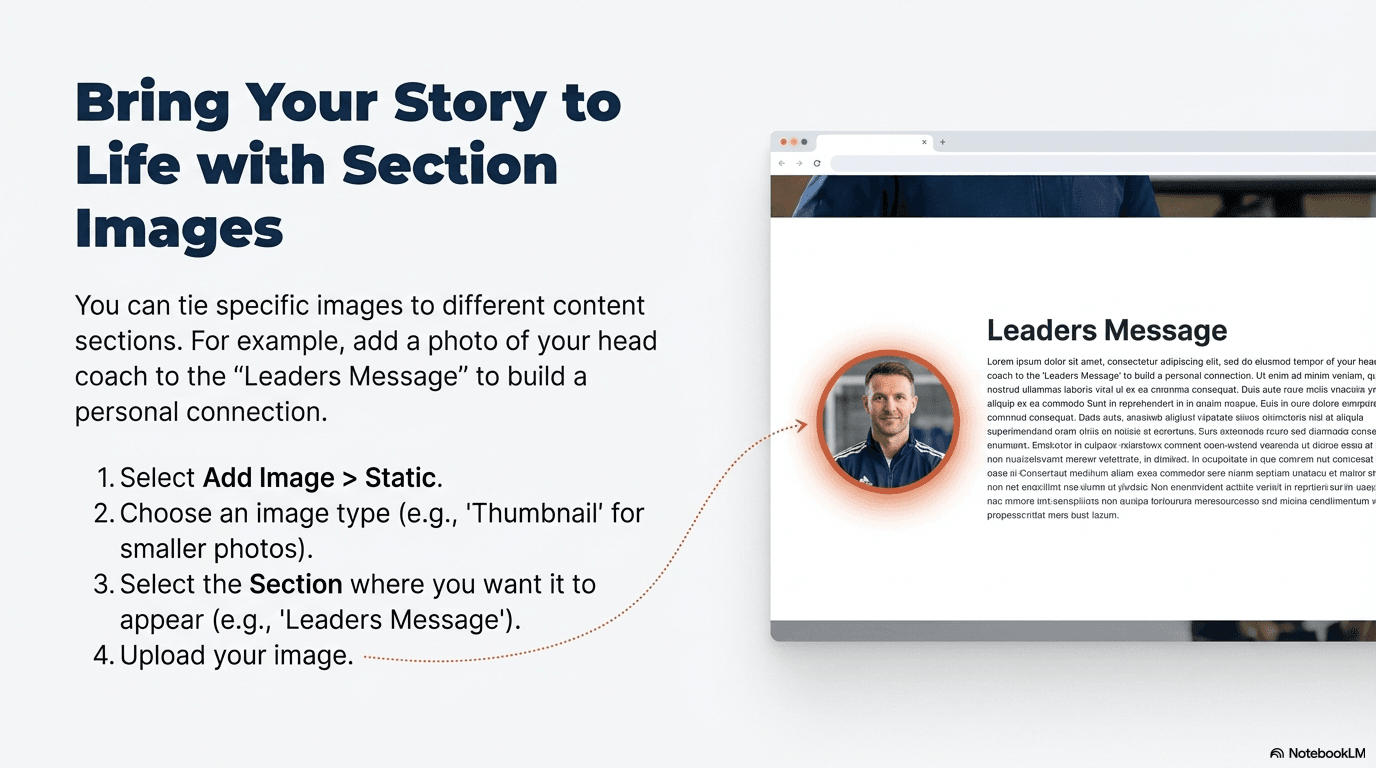
- ✓ • Leader's Message & About Us Content: Add your text content
You can create a maximum of three different institute pages, which is useful if you want to diversify your coaching activities with separate web presences.
Check Your Page
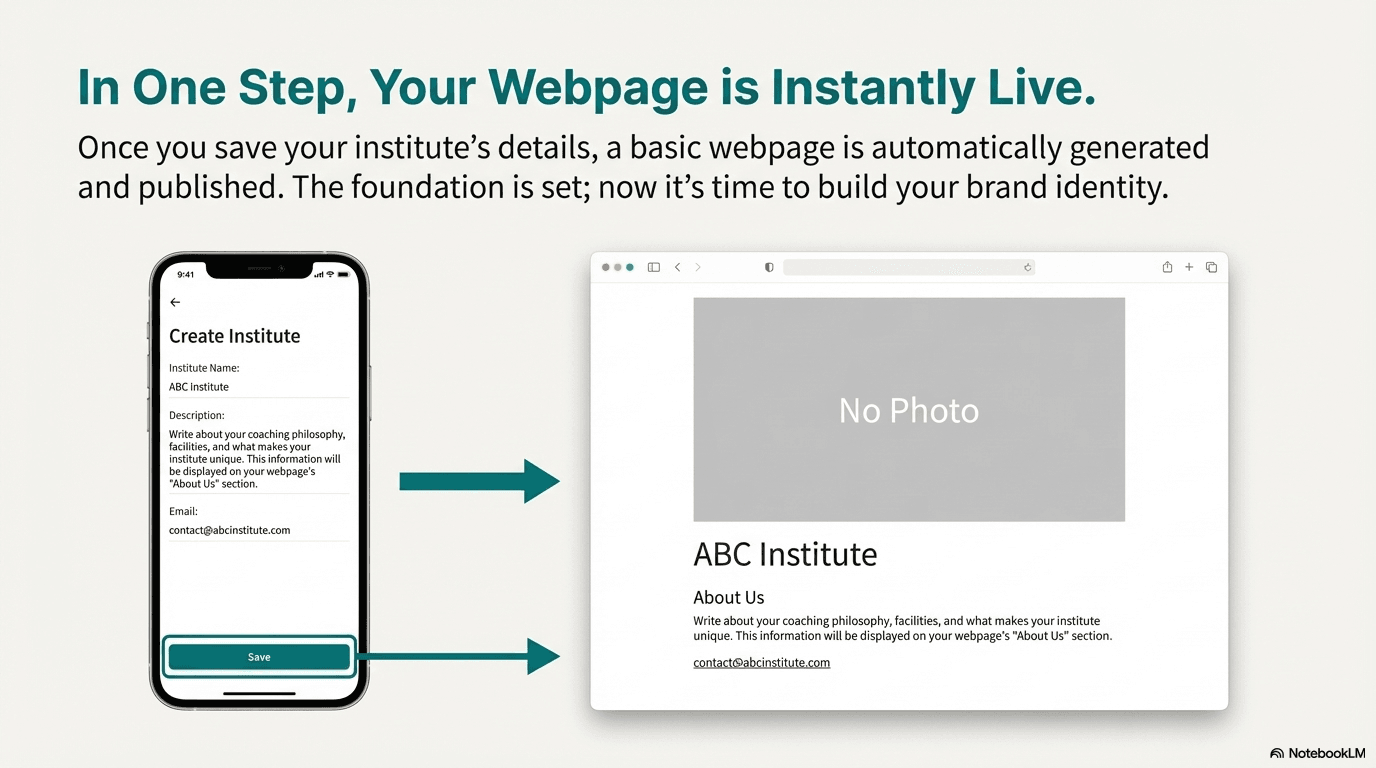
- ✓Once you've created your institute page, you can immediately view it on the web
- ✓Your page will be available at www.sevensportz.com/institutes/
- ✓Visit this page to find your created website
- ✓Share the link with potential clients and students
Add Visual Elements
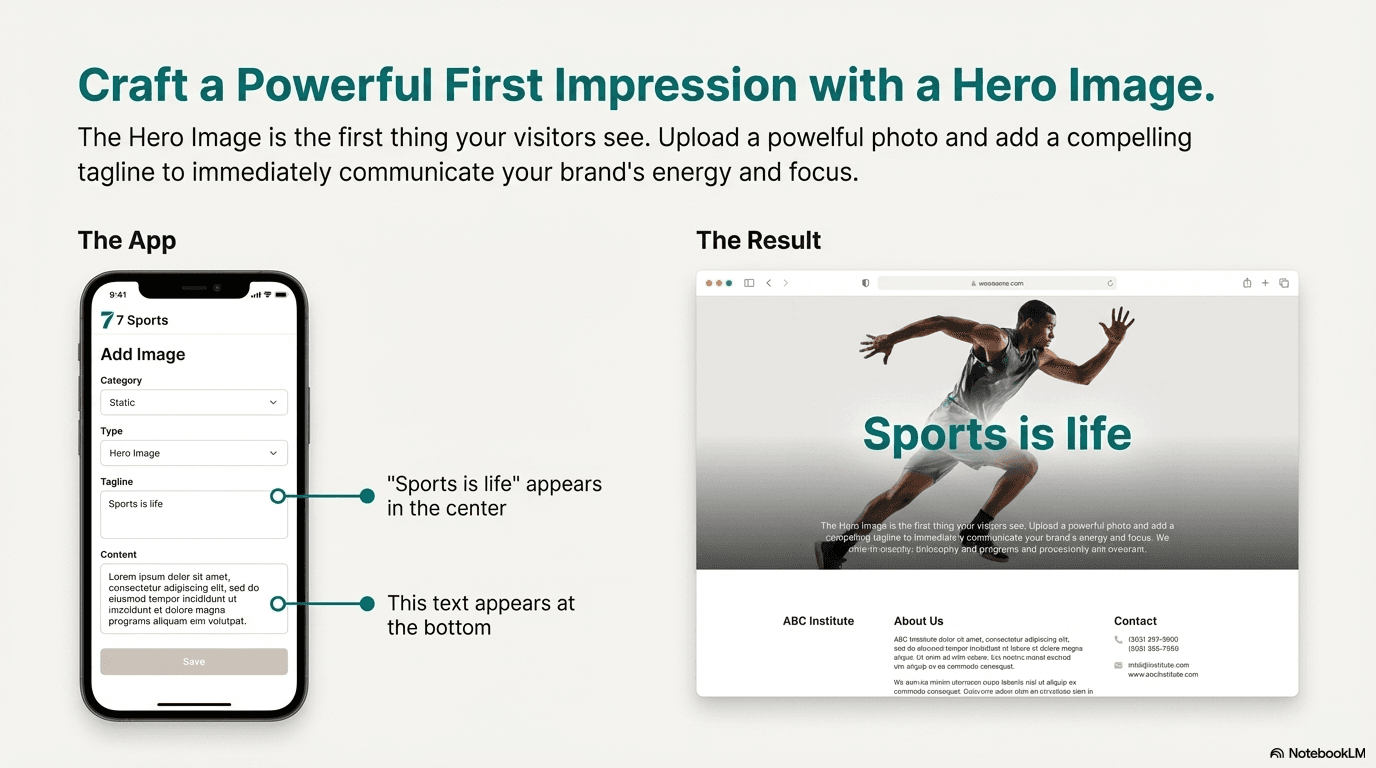
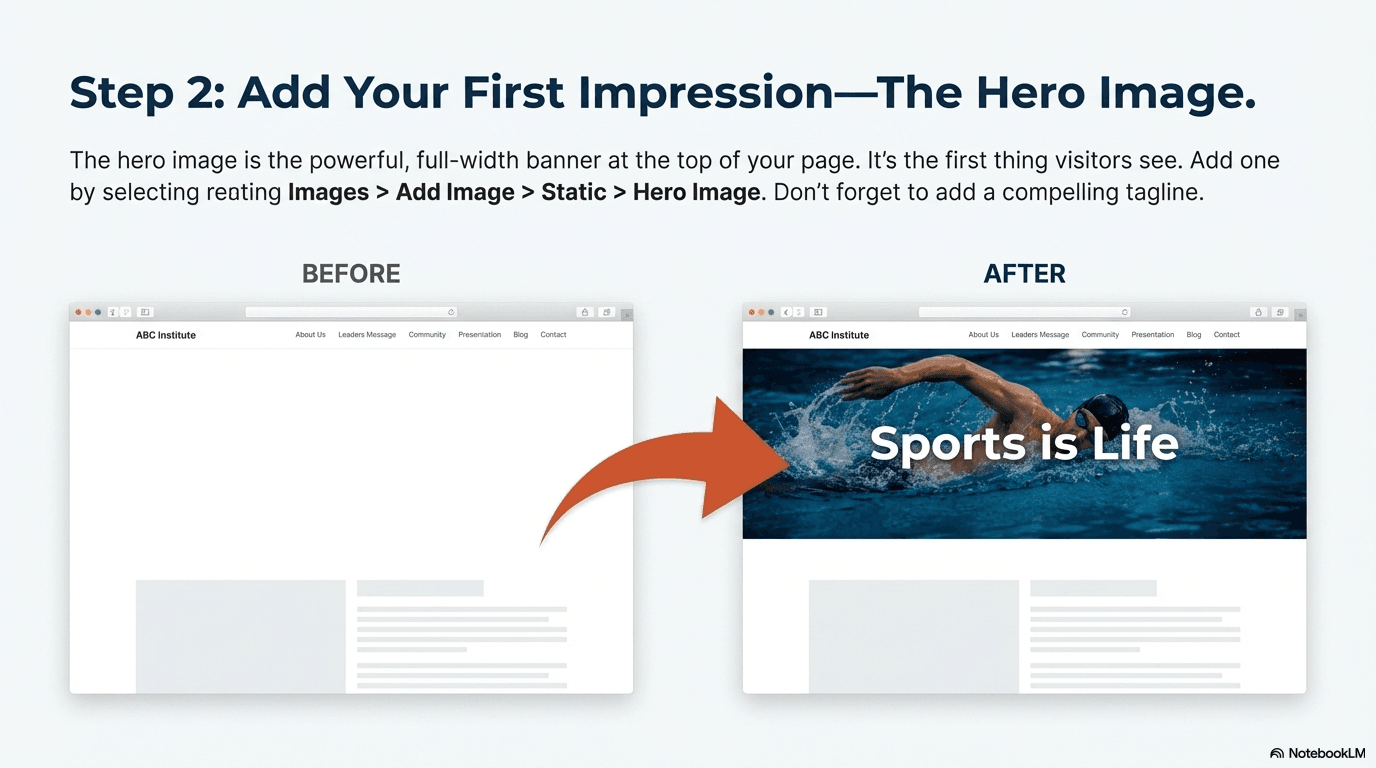
- ✓Select Static as the image category and Hero Image as the type
- ✓Upload your chosen high-quality image
- ✓Enter a tagline (e.g., "Sports is Life") that will be displayed prominently in the center
- ✓Add more detailed content for the footer area of the hero image
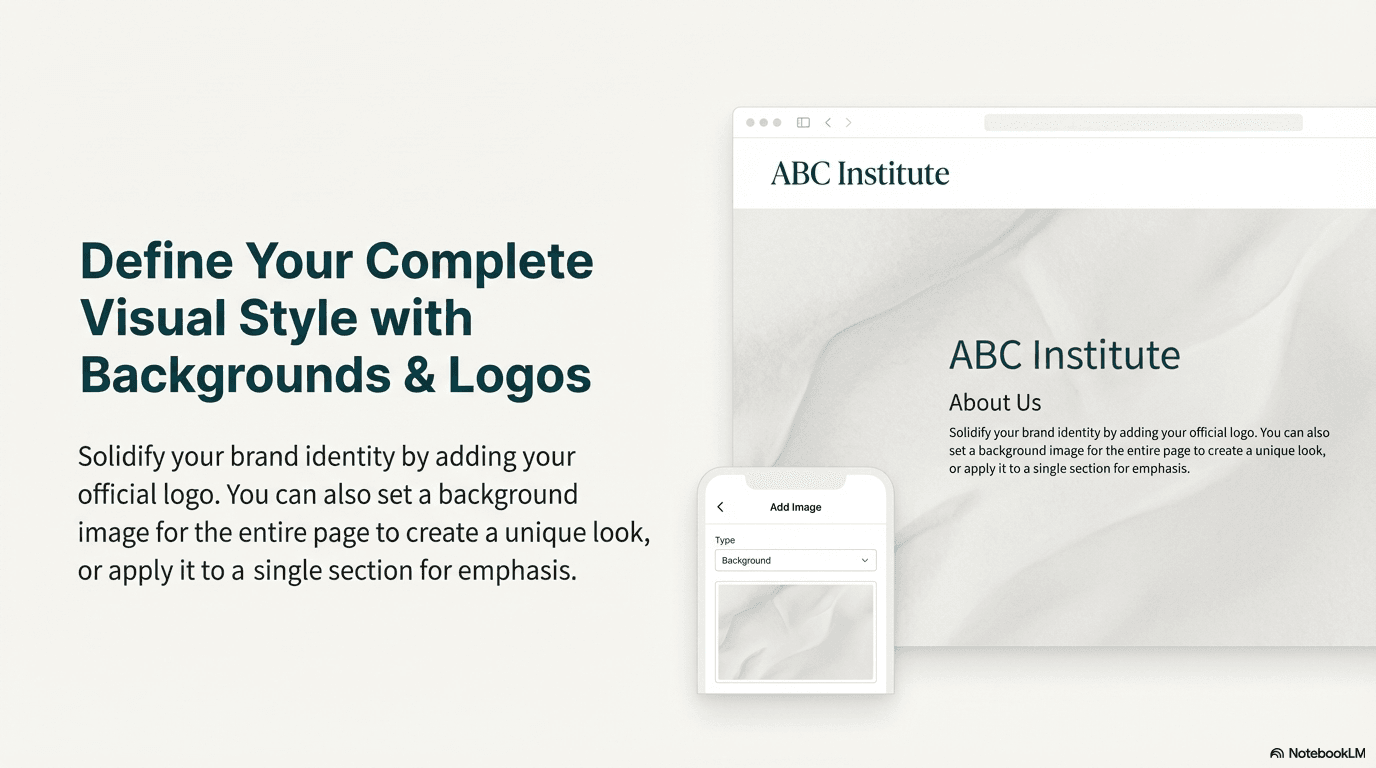
- ✓Upload your Logo to establish your brand identity
- ✓Add Background Images to create a consistent, branded feel
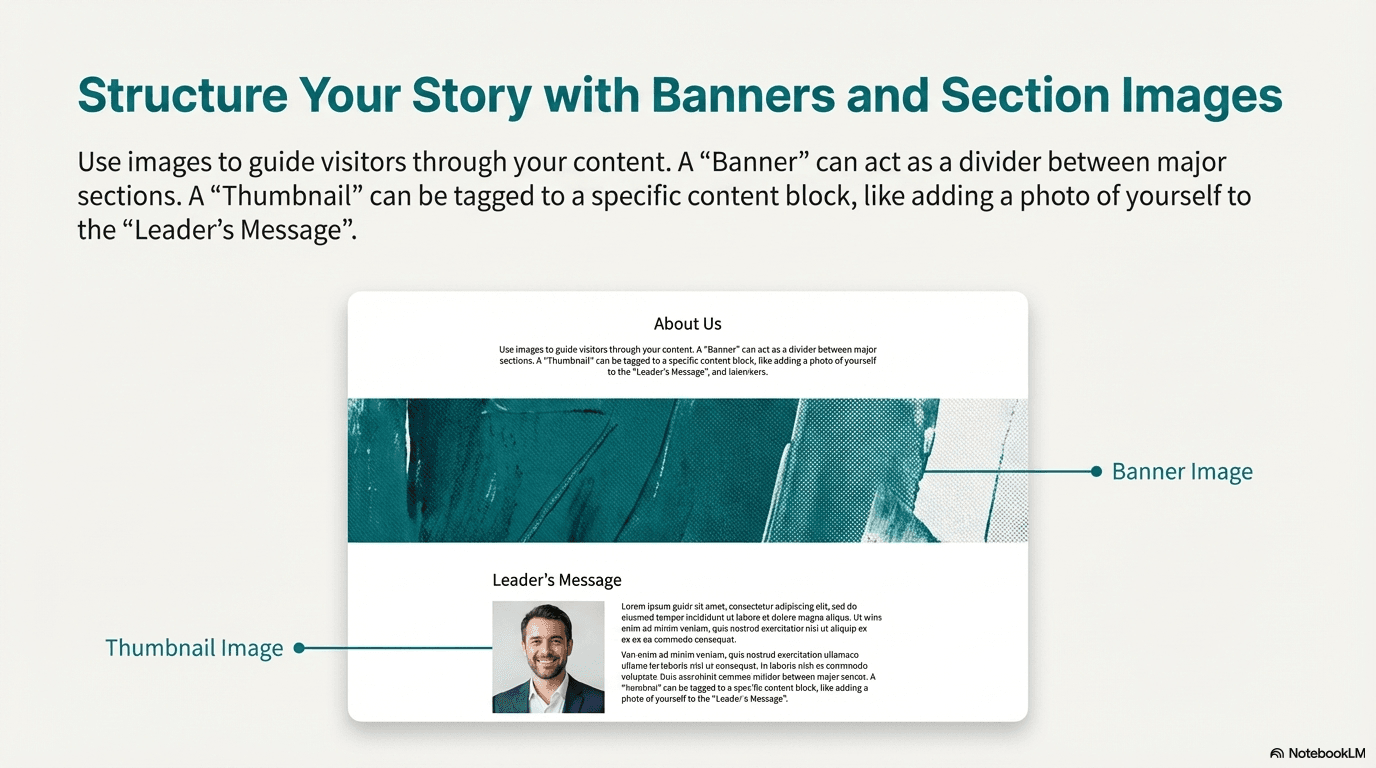
- ✓Add Banner Images to serve as visual dividers between sections
- ✓Use Thumbnail Images to add visual context within specific sections
How Images Are Displayed by Category
Hero Image
Top of pageDisplayed at the very top of your page as a full-width, prominent visual. If you add multiple hero images, they will automatically display as a slideshow with smooth transitions. Your tagline appears centered on the image, and any additional content appears at the bottom.
Banner Image
Between sections or at section topServes as a visual divider between sections. By default, appears below the Hero Image. When tagged to a specific section, it appears at the top of that section. Multiple banner images in the same location will display as a slideshow.
Background Image
Behind all content (full page or section)Creates a consistent branded backdrop. If not tagged to a section, it applies to the entire page. When tagged to a section, it only affects that specific area. Multiple background images will create a beautiful fade-transition slideshow effect.
Logo Image
Header/navigation areaYour logo is prominently displayed in the header area of your page, ensuring strong brand recognition. Typically shown at a fixed size to maintain professional appearance.
Thumbnail Image
Within tagged sections (after content)Smaller images that add visual context within specific sections. Perfect for adding photos alongside text content. When multiple thumbnails are added to the same section, they automatically display as a slideshow or grid layout.
Icon Image
Within sections, typically alongside textSmall icon-sized images typically displayed alongside text or in compact spaces. Useful for visual indicators or decorative elements within sections.
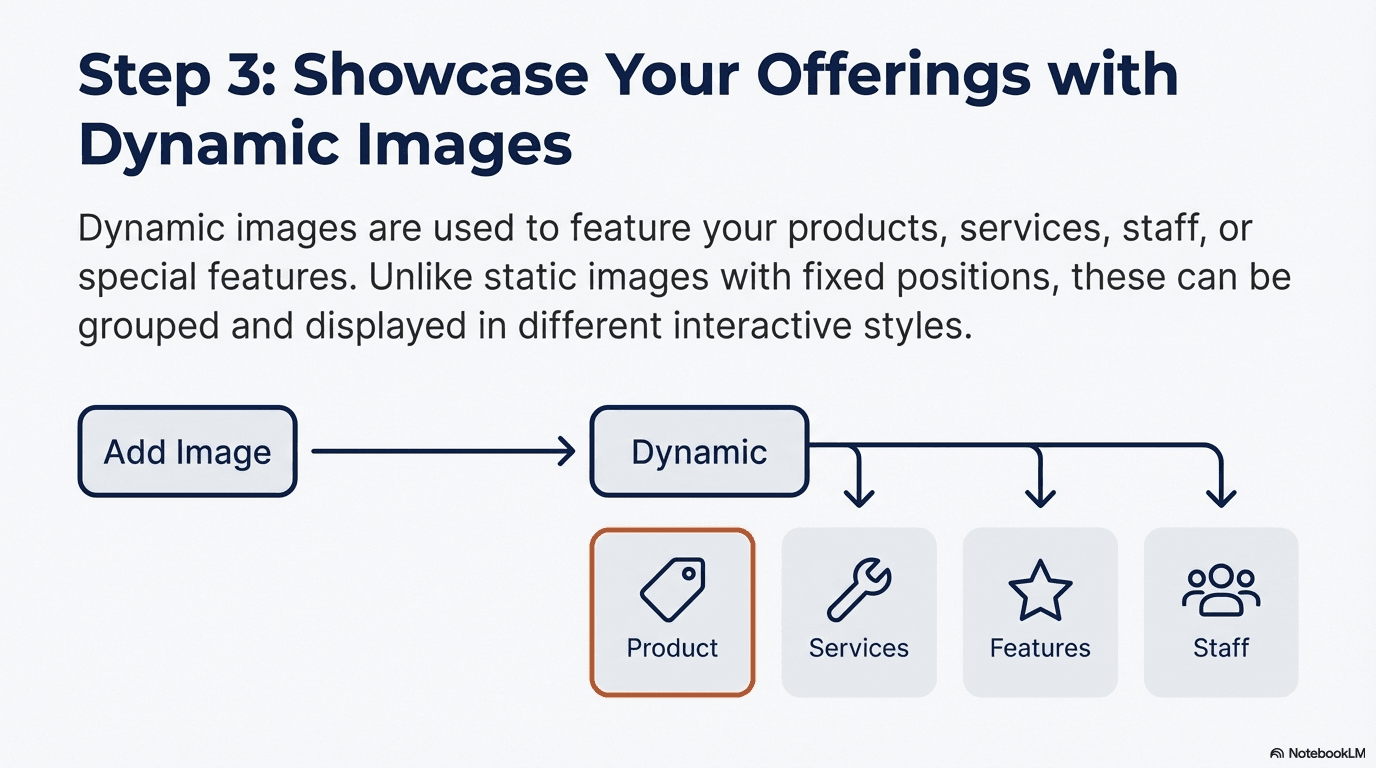
Product/Service/Staff Images (Dynamic)
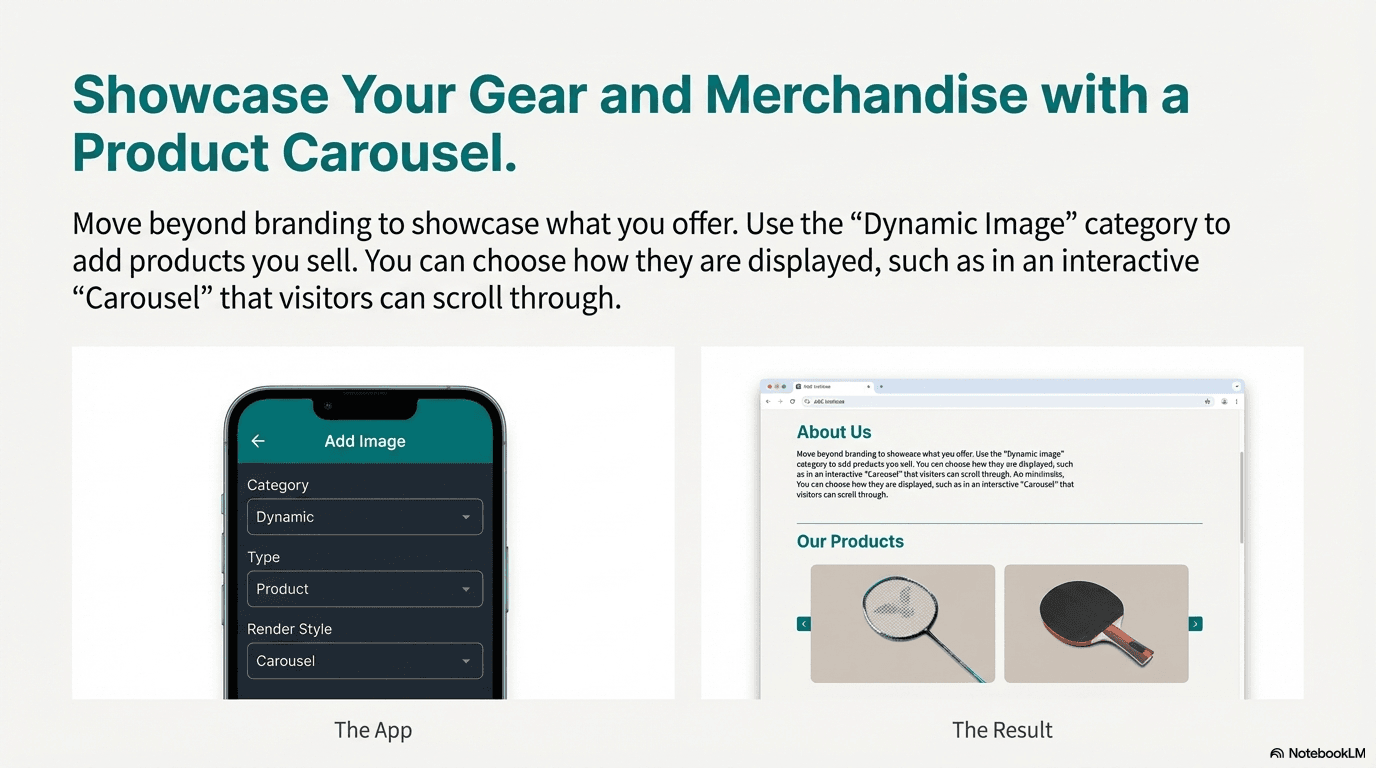
Dedicated sections on your pageThese dynamic images can be displayed in various render styles: Carousel (sliding gallery), Gallery (side-by-side), Grid (organized grid layout), Slideshow (auto-playing), Masonry (Pinterest-style), List (vertical list), or Card (card-based layout). You choose the render style when uploading.
Add Products & Services
- ✓Choose Dynamic as the image category and Product or Service as the type
- ✓For Products: Select Carousel as the Render Style to display items in an interactive, sliding format
- ✓For Services: Select Gallery as the Render Style to display services side-by-side
- ✓Upload images and add descriptive text for each offering
- ✓Repeat the process for all your products and services
These sections are for promotional and showcase purposes only and do not include e-commerce functionality for direct sales.
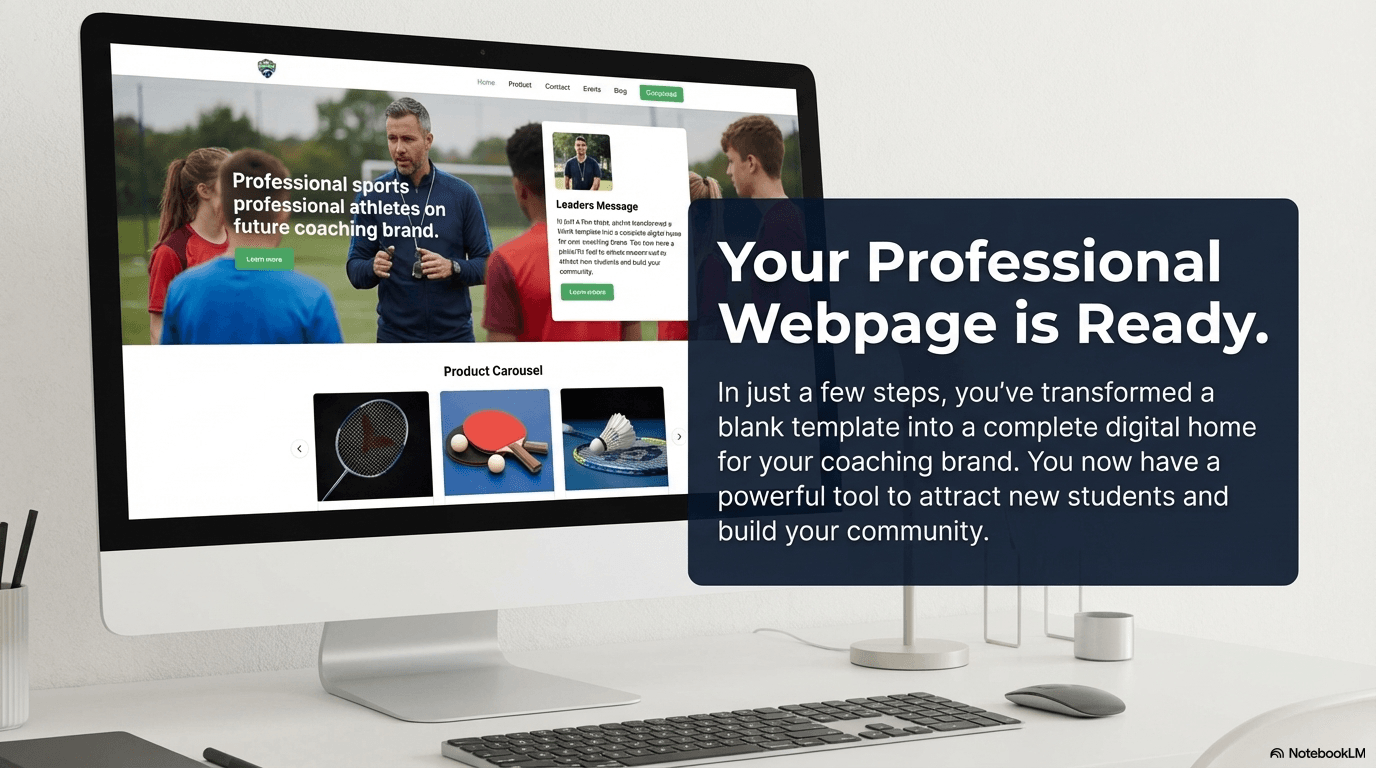
Your Page is Live!
Congratulations! You have successfully created and customized your very own institute webpage. By following these steps, you've established a professional digital presence that can help you connect with players and grow your coaching business.
Remember, your page is a living document. You can always return to your dashboard to edit details, add new services, or experiment with different images and layouts to perfect your site.
Establishing Your Digital Footprint
In today's competitive market, a powerful web presence is no longer a luxury but a necessity for growth.
The Seven Sportz Platform
Seven Sportz is a sports aggregator and end-to-end management platform built to connect the entire sports ecosystem, including coaches, athletes, facility managers, and event organizers. Our mission is to provide the tools and community support necessary for sports professionals to thrive.
A professional web page is the cornerstone of this strategy, providing the central, credible hub for your brand, services, and client engagement.
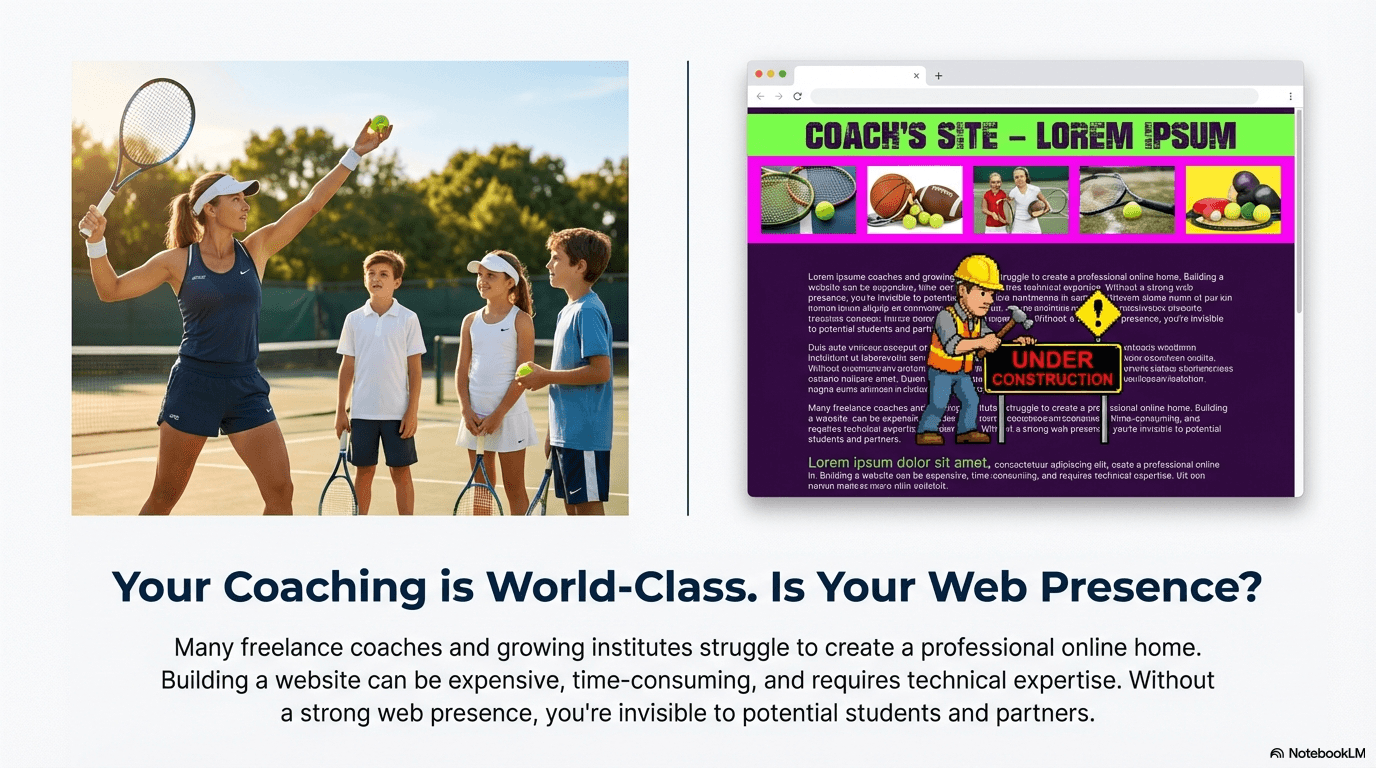
Why Build a Web Presence?
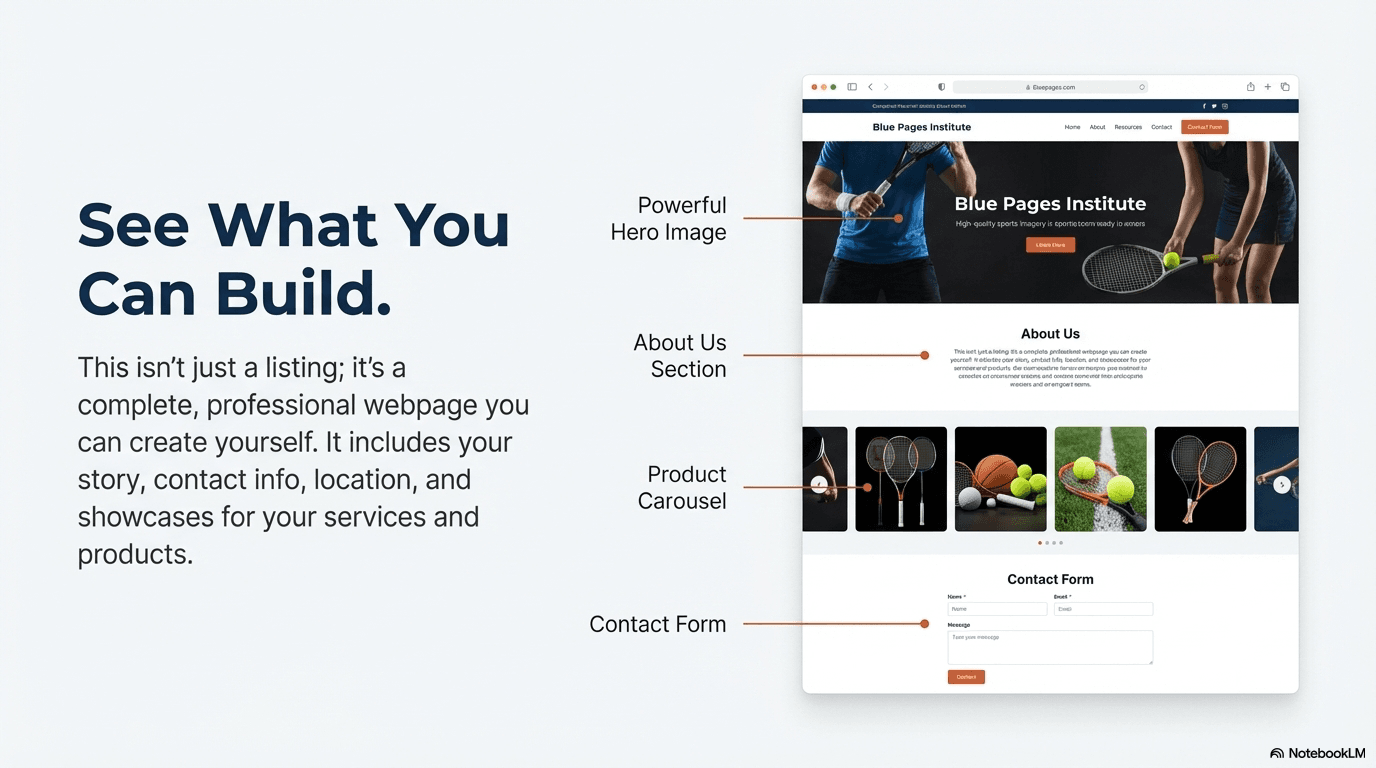
The Seven Sportz web page builder is more than just a template; it is a strategic tool engineered for business growth. It provides a centralized, professional hub for all your coaching activities, from promoting your services and communicating your unique value to generating qualified leads.
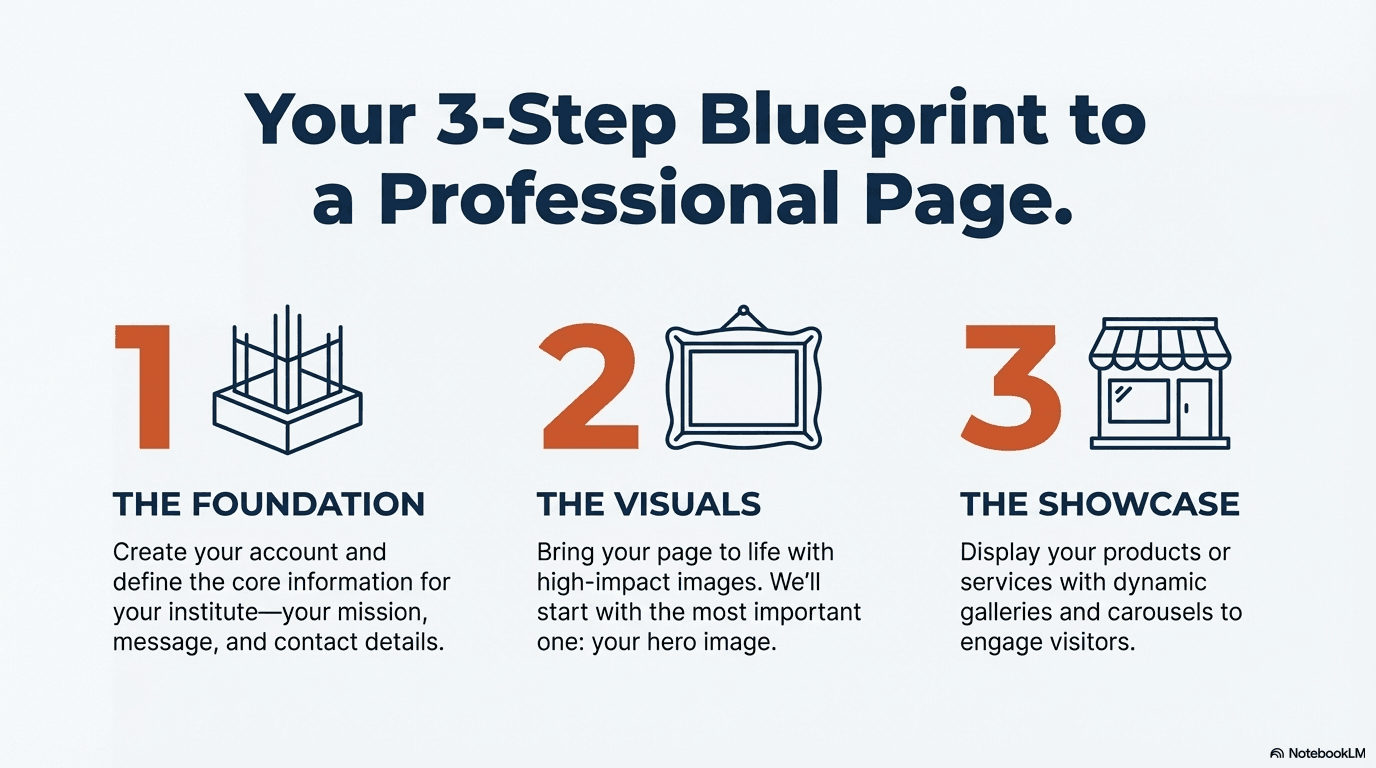
Core Components of Your Web Page
The foundation of your web page is built upon a set of core components, each designed to help you craft a comprehensive and compelling online profile.
Institute Information
Clearly state your institute's name, description, business type, and number of enrolled students to establish credibility.
About Us
Tell your story and share your coaching philosophy to build a personal connection with prospective clients.
Leader's Message
Add a human touch with a personal message from the head coach or founder to communicate your core values.
Sports Coached
Precisely list the sports and disciplines you specialize in to attract the right audience.
Contact Us Form
A powerful, built-in lead generation tool. All inquiries are sent directly to your email address.
Google Location
Integrate your physical address to make it simple for local clients to find your facility.
Crafting Your Brand: Powerful Visual Customization Tools
A memorable first impression is critical, and professional visuals are the key to standing out.
Hero Image
The first and most impactful visual a visitor sees. Placed at the very top of the page, it sets the tone for your entire brand. You can embed a central tagline and additional text to immediately communicate your core message.
Banner Image
Serves as a visual divider. By default, it appears directly below the Hero Image. When tagged to a specific content section, it acts as a separator for that section, improving readability and page structure.
Background Image
Applies a background to create a consistent, branded feel. If not tagged to a section, it applies to the entire page. When tagged to a section, it adds emphasis and visual flair only to that specific area.
Logo Image
Your logo is the cornerstone of your brand identity. The platform provides a dedicated space to upload your logo, ensuring it is prominently and professionally displayed to reinforce brand recognition.
Thumbnail Image
These smaller images add valuable visual context within a specific section. For example, you can use a professional headshot as a thumbnail and tag it to the "Leader's Message" to appear alongside the text, personalizing your message.
Showcase Your Value: Dynamic Modules for Products & Services
A professional web page must do more than just look good; it needs to clearly communicate what you sell.
Dynamic Content Modules
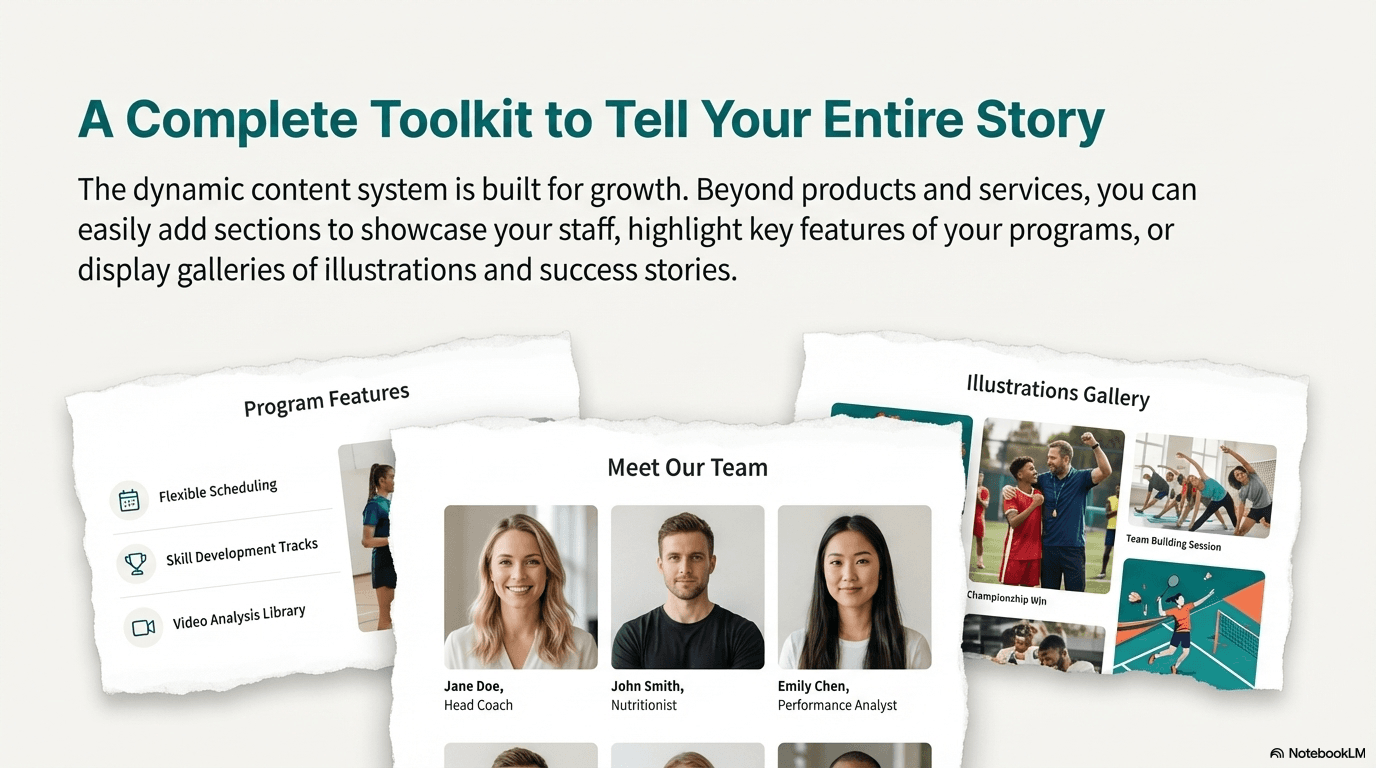
The Seven Sportz platform empowers you to move beyond a simple online brochure by providing dynamic content modules. These tools allow you to create a digital storefront to showcase your specific products, services, and staff.
Products
Showcase physical goods you sell, such as badminton rackets, table tennis equipment, or branded apparel.
Services
Clearly detail the services you provide, complete with compelling descriptions and dedicated images.
Staff
Highlight the coaches and staff members at your institute, building credibility by showcasing their experience.
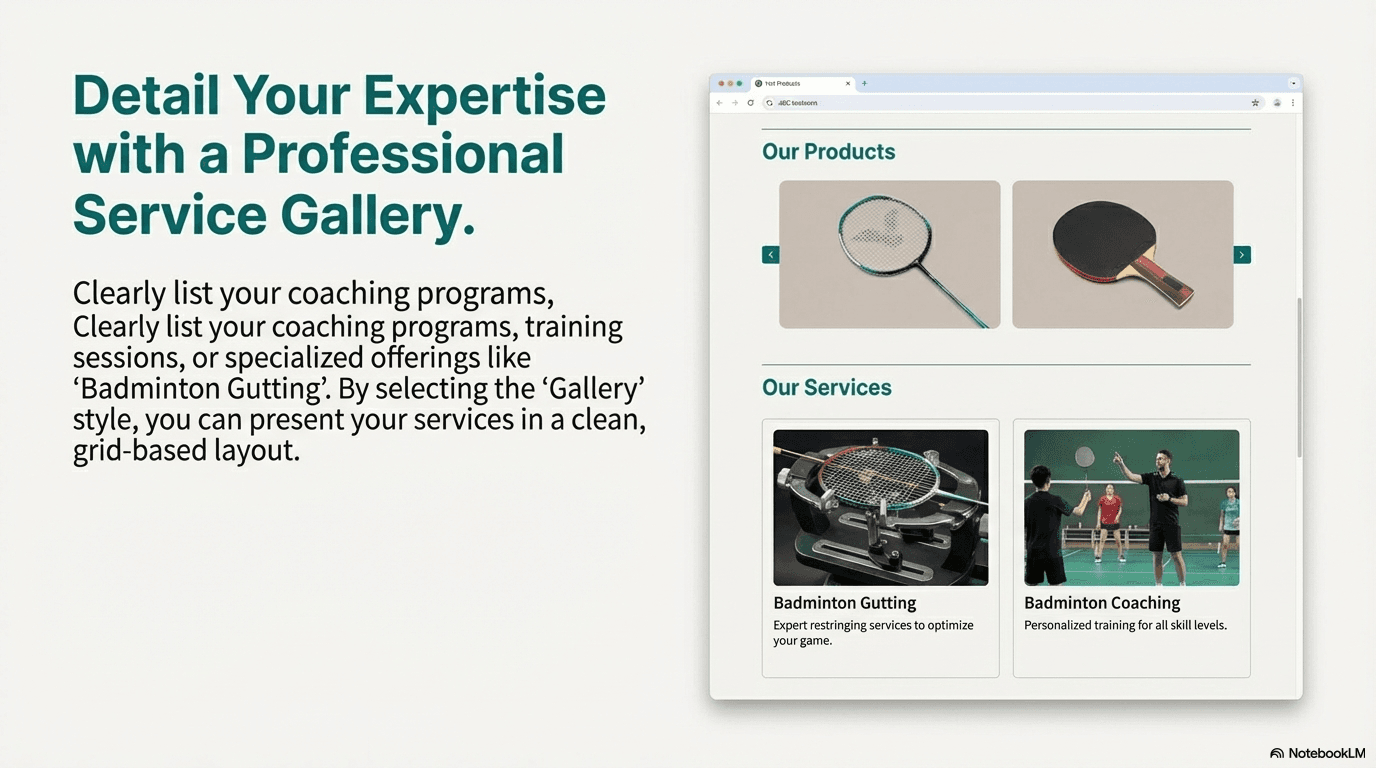
Render Styles
To ensure your offerings are presented with maximum impact, you can select from multiple Render Styles. Use the interactive Carousel to display multiple product images without taking up vertical space, the visually rich Gallery to showcase the quality of your services, or the clean and organized Grid for a clear, at-a-glance overview of your entire portfolio.
See What You'll Build
Take a look at the professional web pages you can create with the Seven Sportz platform
Step 1: Getting Started
Step 2: Hero Image
Step 3: Dynamic Images
Final Outcome