Build Your Legacy
Own Your Story
A step-by-step guide to creating your professional web presence with Seven Sportz
Watch & Learn
Get started with these helpful explainer videos. Create a stunning website for your sports career with Seven Sportz. Join thousands of athletes who are building their professional online presence. Find events, connect with coaches, and showcase your achievements—all in one platform.
How to Register as a Player
Step-by-step guide for players to register and create their profile on Seven Sportz
Seven Sportz Platform Overview for Athletes
Learn how athletes can utilize Seven Sportz to enhance their professional visibility and connect with opportunities
Building Your Professional Web Presence
Step-by-step guide to creating your custom website to showcase your statistics, achievements, and career
Ready to Build Your Professional Web Presence?
Join thousands of athletes who are building their professional online presence with Seven Sportz. Create your free website today!
How to Get Started
- 1
Register as a Sportsman
Navigate to app.sevensportz.com/register?role=player and create your account. The Sportsman role is pre-selected.
- 2
Create Your Webpage
From your dashboard, navigate to the Website panel and click the + icon to create your first webpage. Fill in your profile details including your name, association code, date of birth, and year started playing.
- 3
View Your Live Website
Once created, your webpage will be live on www.sevensportz.com/institutes/. Visit this page to find and share your website with coaches, sponsors, and opportunities.
🎁 Platform Benefits: Your professional webpage helps you showcase who you are to the sports community, connect with other sports people and coaches, and find new opportunities to play and participate in events.
You can create and manage up to three different websites with a single account, perfect for athletes with diverse specialties or multiple sports.
Take control of your digital identity. Register on the Seven Sportz platform today to build the professional webpage that will establish your credibility, attract new opportunities, and accelerate the growth of your sports career.
Step-by-Step Guide to Building Your Professional Web Presence
Follow these simple steps to create your professional web presence. The process is straightforward and requires no technical expertise.
Account Registration
- ✓Navigate to the Seven Sportz app registration page at https://app.sevensportz.com/register
- ✓Select the option to create a new account
- ✓Crucially, when presented with registration types (e.g., Audience, Sportsman, Coach, Equipment Manager, Facility Manager, Event Manager), you must select the Sportsman option
- ✓Fill in the simple registration form to complete the process
- ✓Check your email for a verification message and verify your account
- ✓Return to the app and log in using your email and password
Once you log in, you will land on your personal Dashboard, which is your command center for managing your profile and events.
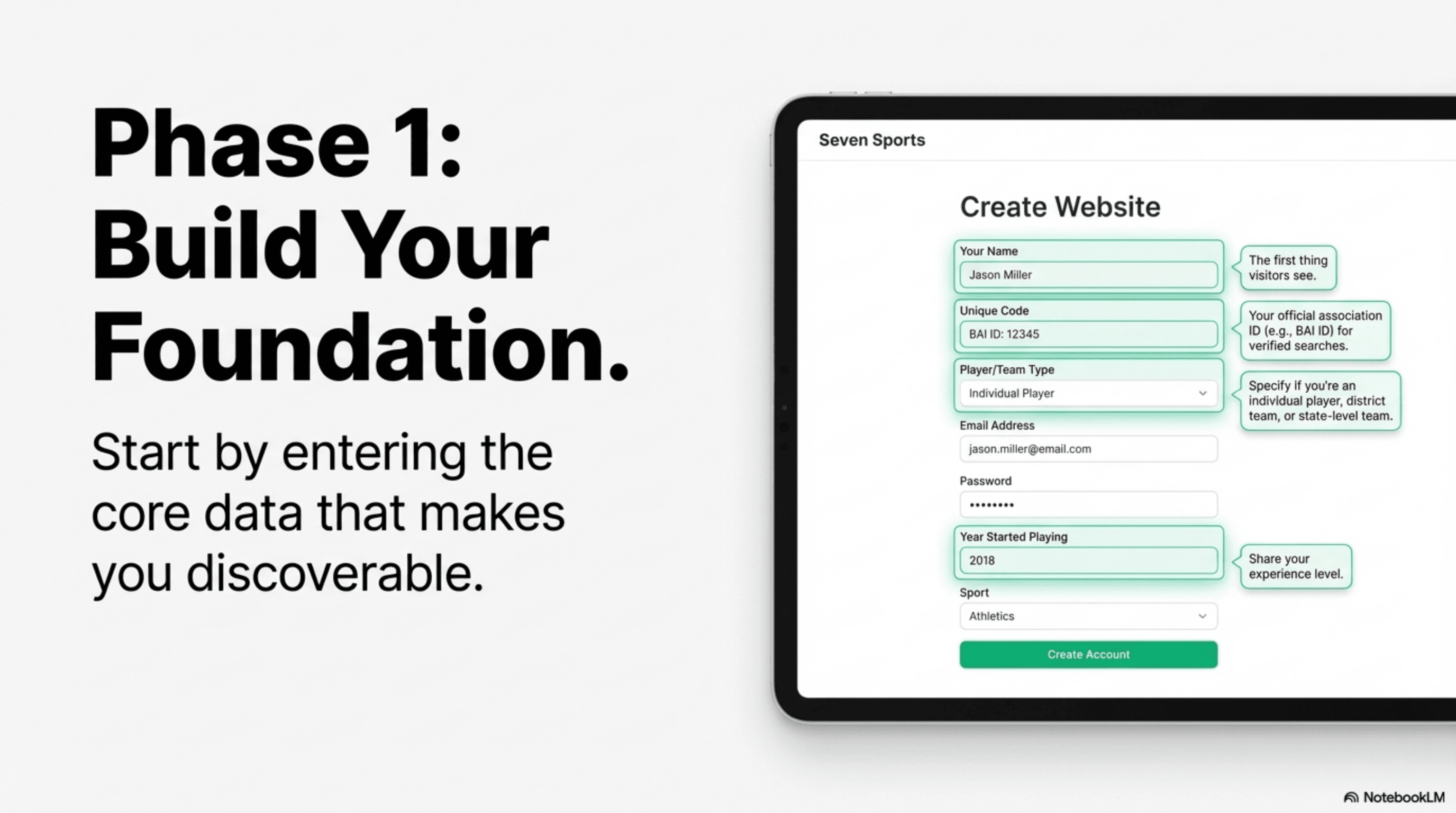
Create Your Webpage
- ✓From your dashboard, navigate to the Website panel and click the plus (+) icon to begin creating a new page
- ✓Fill out the form with your profile's foundational information:
- ✓ • Name: Your full name, as you want it to appear on the page
- ✓ • Code: If you are registered with a national association (like the Badminton Association of India), enter your unique code here
- ✓ • Date of Birth: Select your date of birth from the calendar
- ✓ • Registration Type: Choose the option that best describes you: player, district level team, or state level team
- ✓ • Year Started Playing: Select the year you officially began your sports journey
- ✓ • Email: (CRITICAL) Where all inquiries from your Contact Us form will be sent
- ✓ • Address & Location: Enter your address and tag your current location on the map
- ✓ • About me: Add your personal story and background
- ✓ • Your Training Institute: Information about where you train
- ✓ • Your message: A personal message to visitors
Setting your correct location has two key benefits: It helps the platform show you tournaments and practice matches happening nearby, and it serves as your location on the Google Maps section of your webpage.
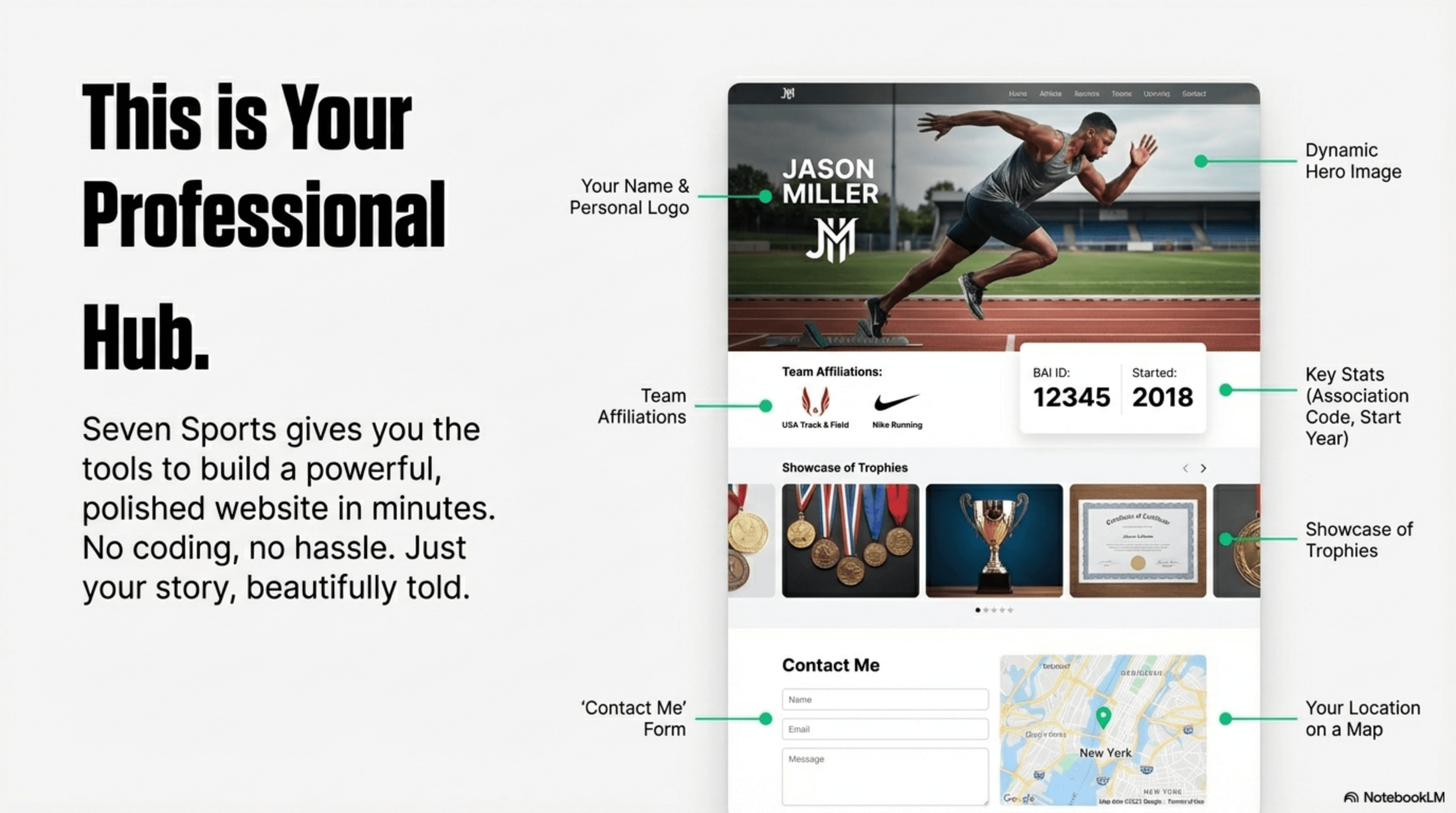
Check Your Page
- ✓Once you've created your webpage, you can immediately view it on the web
- ✓Your page will be available at https://www.sevensportz.com/institutes/
- ✓Visit this page to find your created website
- ✓Share the link with coaches, sponsors, and opportunities
- ✓Your page automatically displays connected coaches, managers, or team members in the "Team" section
Add Visual Elements (Static Images)
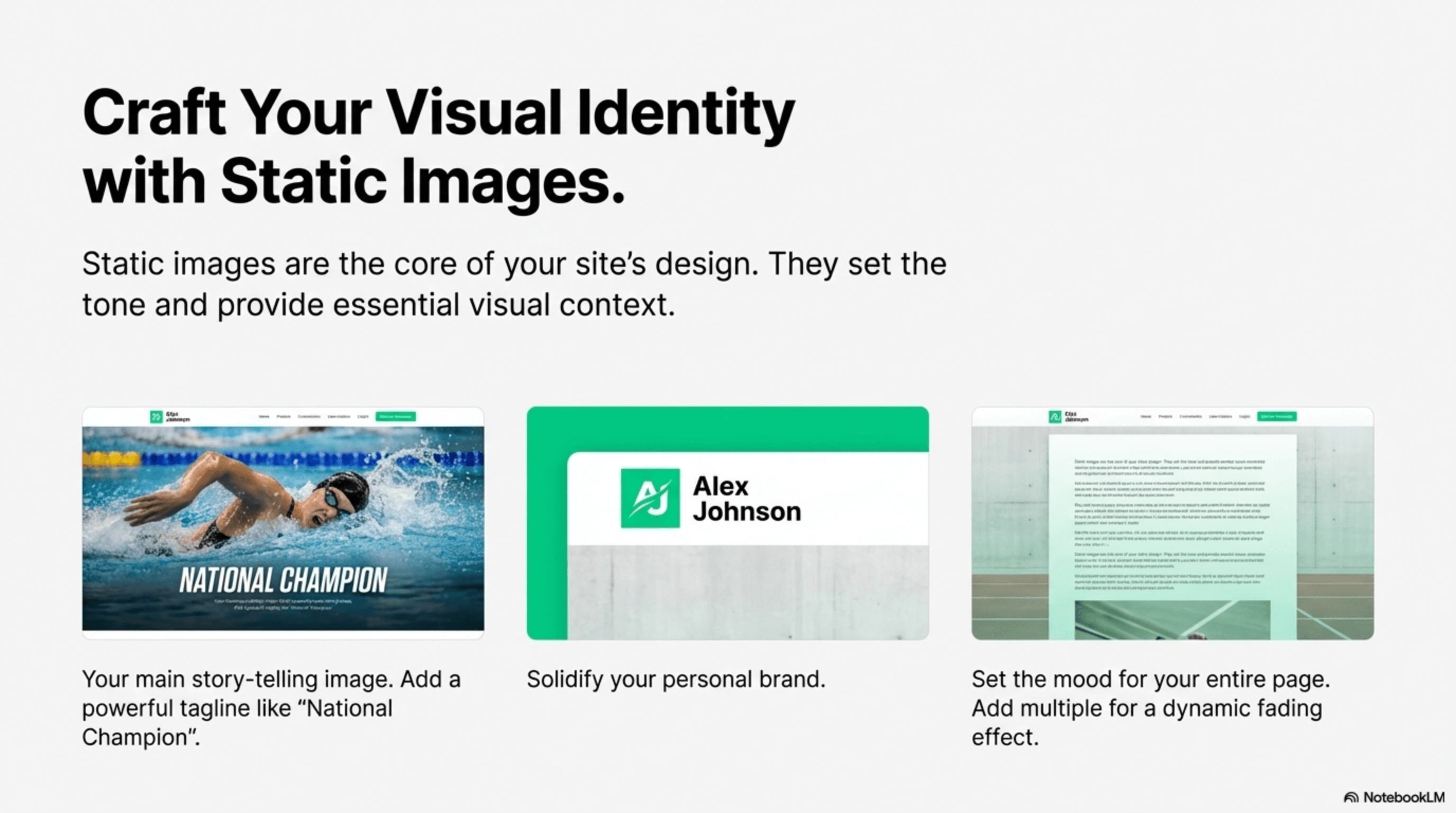
- ✓Press the edit button on your website from the dashboard, then find the add new image option
- ✓Select Static as the image category and Hero Image as the type
- ✓Upload your best action shot or professional photo
- ✓Write a catchy tagline (e.g., "This world of sport") that will appear in the center of your hero image
- ✓Add a short, powerful description (e.g., "National Champion") that will appear as a caption at the bottom
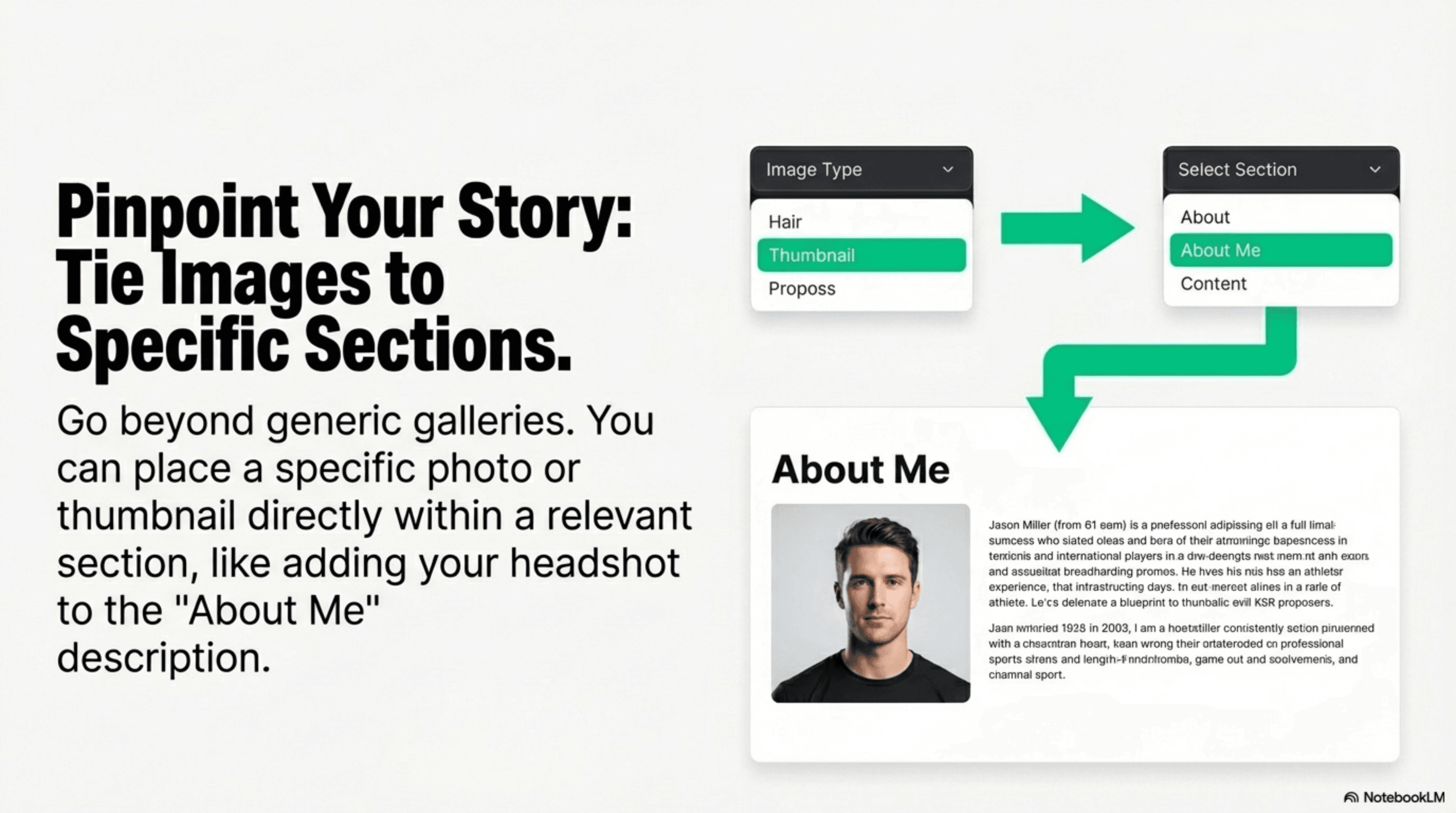
- ✓Select Thumbnail as the image type and choose About Me from the section dropdown to add your personal photo
- ✓Select Background as the image type to replace the plain white background with an image that reflects your sport or personality
Choose a high-quality action shot for your Hero Image! It's the first thing people see, so make it exciting. A clear headshot or a photo of you with your sports equipment works best for the About Me thumbnail.
How Images Are Displayed by Category
Hero Image
Top of pageDisplayed at the very top of your page as a full-width, prominent visual. If you add multiple hero images, they will automatically display as a slideshow with smooth transitions. Your tagline appears centered on the image, and any additional content appears at the bottom.
Background Image
Behind all content (full page or section)Creates a consistent branded backdrop. If not tagged to a section, it applies to the entire page. When tagged to a section, it only affects that specific area. Multiple background images will create a beautiful fade-transition slideshow effect.
Thumbnail Image
Within tagged sections (after content)Smaller images that add visual context within specific sections. Perfect for adding photos alongside text content. When tagged to the "About Me" section, it appears alongside your personal information. When multiple thumbnails are added to the same section, they automatically display as a slideshow or grid layout.
Showcase Your Achievements (Dynamic Content)
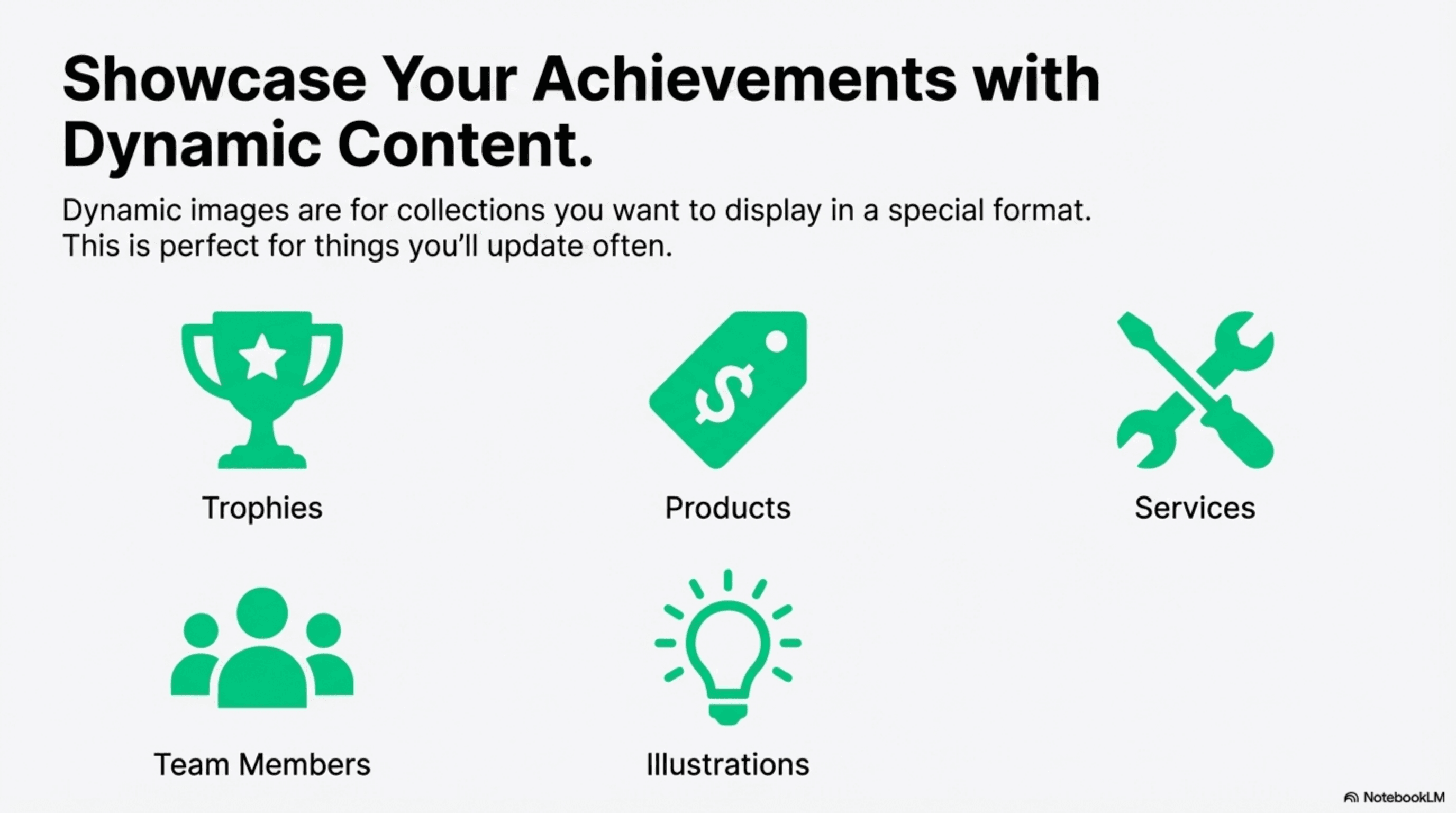
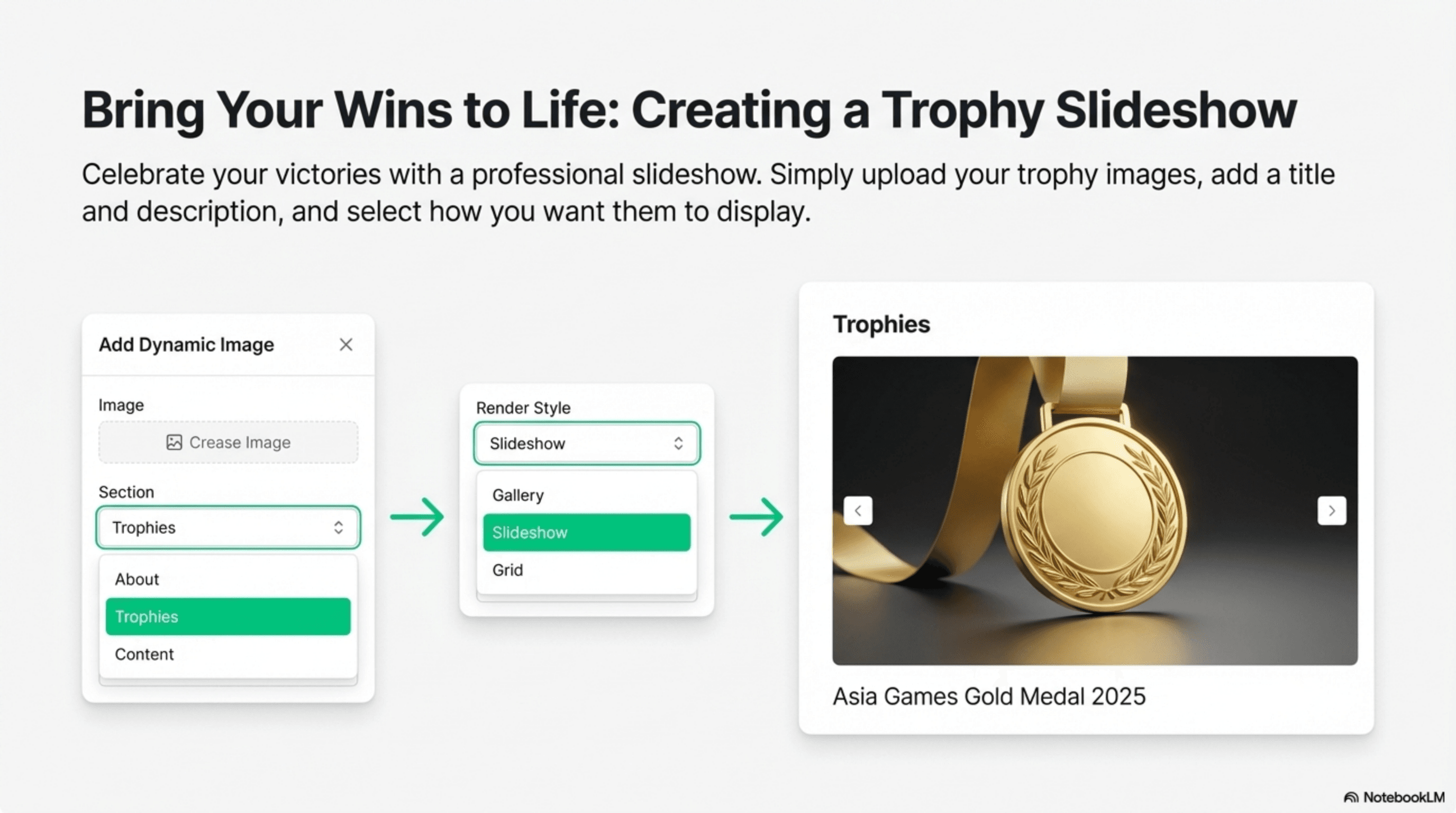
- ✓Select Dynamic as the image category and Trophies as the image type
- ✓From the Render Style dropdown, select Slideshow to create a beautiful, interactive slider
- ✓For each trophy photo you upload, add a title (e.g., "Asia Game Gold Medal") and a short description
- ✓As you add more trophy images using the Slideshow render style, they will all be automatically added to the same slider
- ✓For Team Members: Select Dynamic category, choose Team Members as the type, and select Grid or Carousel as the Render Style
- ✓For each teammate, upload their photo and add their name in the title field
These dynamic sections appear on your page after your main profile info but before the Contact Us form. This is perfect for creating galleries of your trophies, introducing your teammates, or highlighting products you endorse.
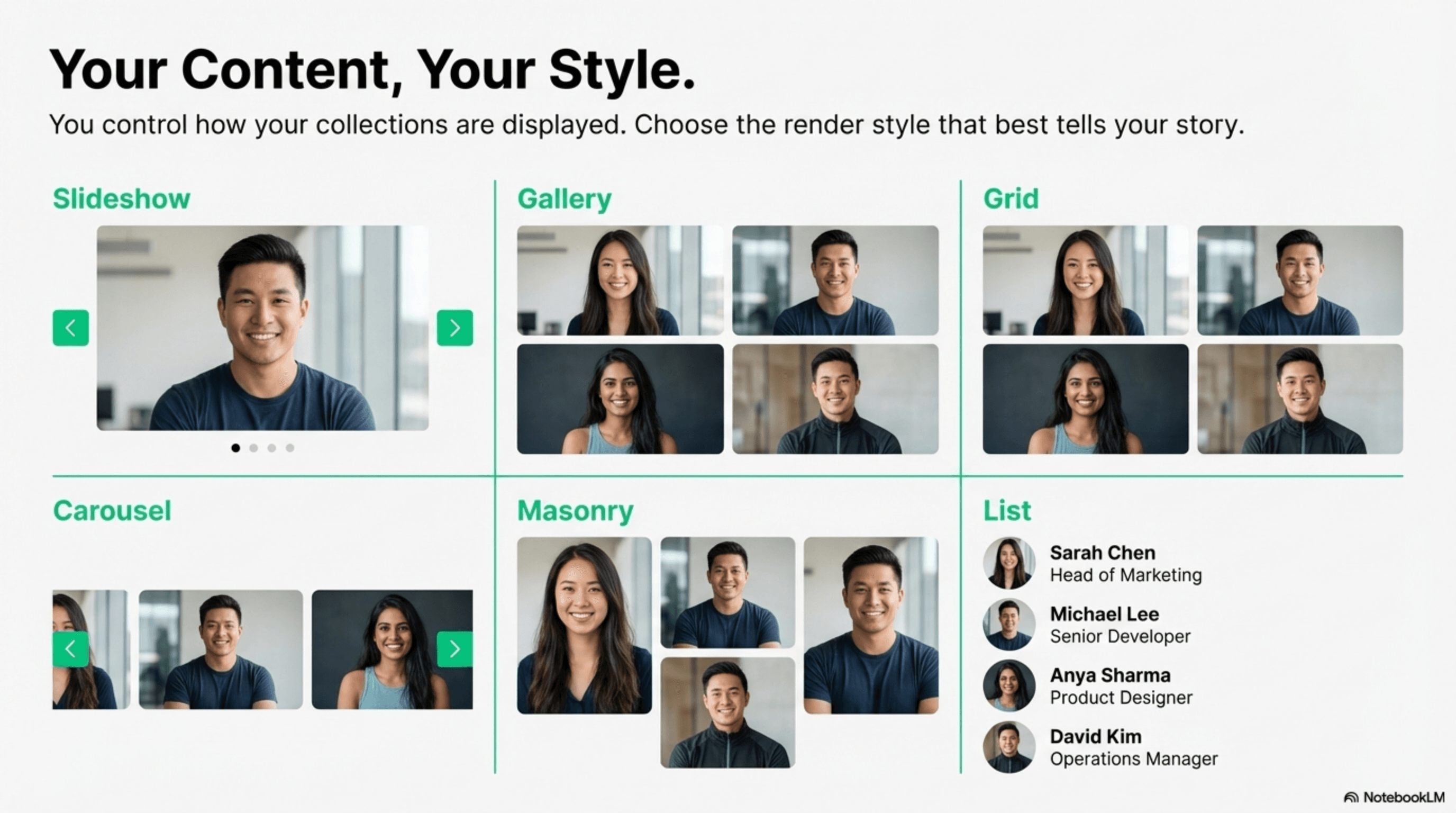
Available Render Styles for Dynamic Content
Slideshow
Interactive slider that visitors can click through. Perfect for trophies and achievements.
Gallery
Side-by-side display for clear, organized presentation.
Grid
Organized grid layout for an at-a-glance overview of your entire portfolio.
Carousel
Sliding gallery format that displays multiple items without taking up vertical space.
Masonry
Pinterest-style layout for a dynamic, visually interesting display.
List
Vertical list format for detailed information display.
Your Page is Live!
Congratulations! You have successfully created and customized your very own professional webpage. By following these steps, you've established a professional digital presence that can help you connect with coaches, sponsors, and opportunities.
Remember, your page is a living document. You can always return to your dashboard to edit details, add new achievements, or experiment with different images and layouts to perfect your site. This page can grow with your career, serving as a digital portfolio of your journey from aspiring athlete to champion.